Last Updated: December 3, 2025
Applies to:
Shippers, Brokers,
Solution Overview:
This article walks through the steps to take in order to connect your Fed Ex Parcel accounts with G2Mint.
Step by Step:
To Connect your FedEx Parcel Agreement, you will need to first go to the FedEx developer portal and set up the proper configurations for your FedEx account.
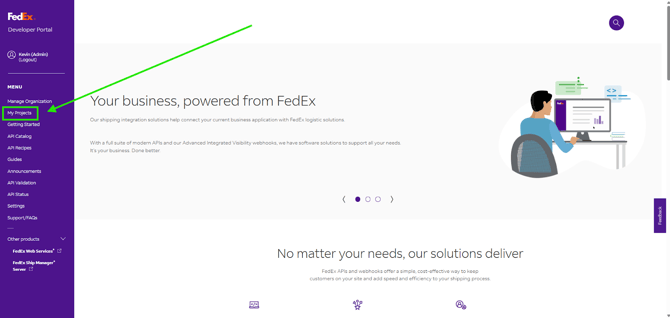
1. Click this link https://developer.fedex.com/ and Login to FedEx Developer Portal.
2. Click "My Projects".
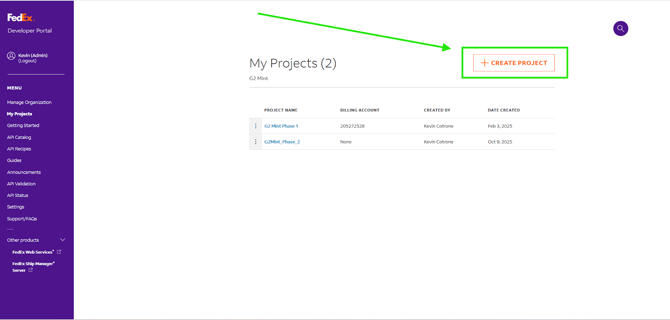
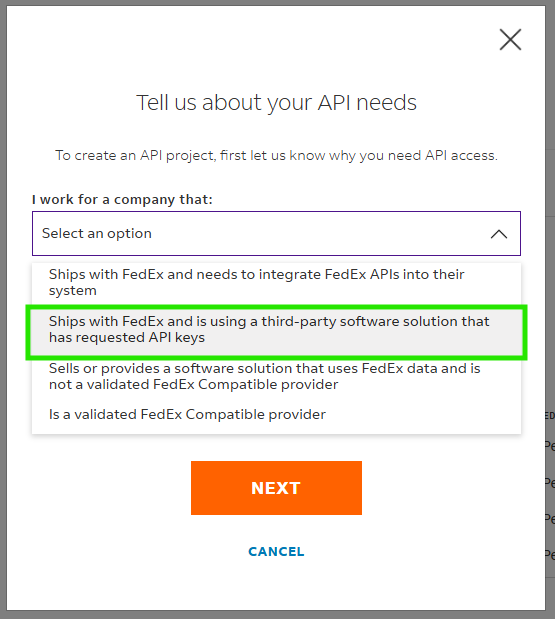
-
- Third Party Company - G2 Mint
- Third Party Product - G2 Mint
- Third Party Product website - g2mint.com
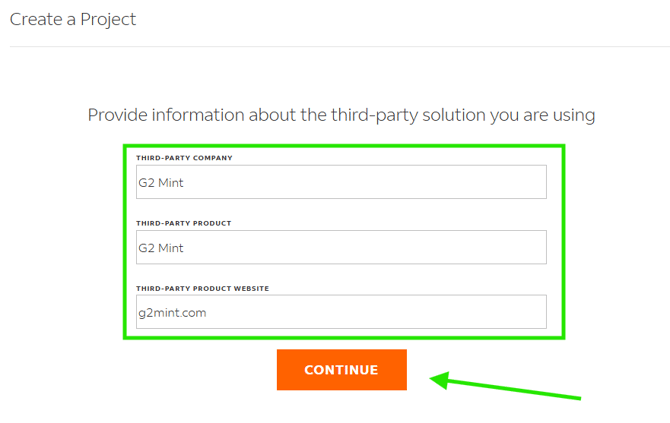
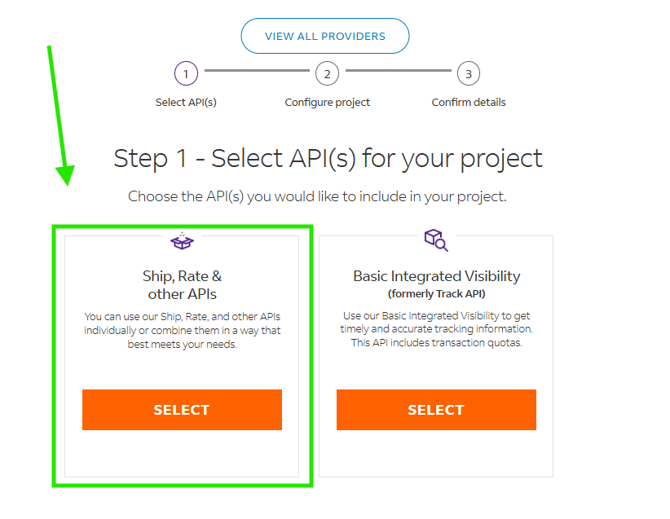
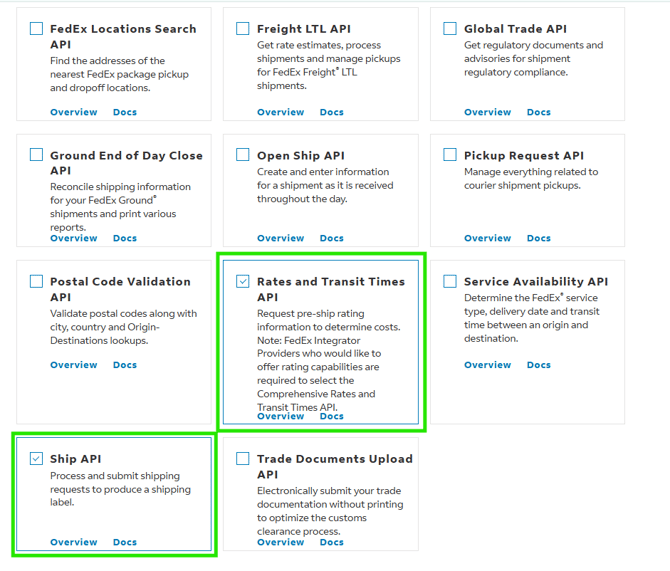
- Name the Project "G2 Mint Rate/Ship" and select United States.
- Accept the terms and click create.
- Navigate to the Project and select the "Production Key" tab.
- Add the Account Number and click Next.
- Navigate back to My Projects and create a 2nd Project.
- Repeat Steps (3) - (5)
- In this step, select "Basic Integrated Visibility" this time.
- Name the Project "G2 Mint Tracking" and select the United States.
- Repeat Steps (9) - (11)
- Now that both Projects are created and have Sandbox and Production keys, you are now ready to copy this information into G2.
- Navigate to G2 Mint Rate/Ship Project and copy sandbox or production keys to G2.
- Navigate to G2 Mint Tracking Project and copy sandbox or production keys to G2.
- Add the account number used for both Projects.