Last Updated: December 23, 2025
Applies to:
Shippers, Brokers
Solution Overview:
This article provides step-by-step instructions for connecting your TForce account to G2Mint.
Step by Step:
- Go to the Agreements>Freight and click 'Create New' choose 'Web Services' and follow the prompts on the screen.
- For additional assistance: Click this link to review how to create a Freight Agreement. Create a webservice Freight Agreement
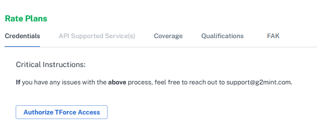
- Once you get to the Credentials screen, select Authorize TForce Access, which brings you to the TForce login page on their website.
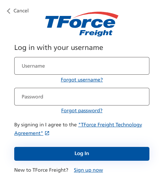
- Enter credentials and select LogIn.
- Select Get Started to begin.
- Re-enter your Password when prompted, and Select Next, then Accept.
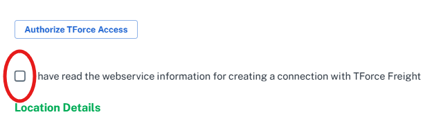
- Once Successful, return to the G2Mint site, click the checkbox confirming terms, and click Test Service.
- Ensure the agreement is active by setting the Status to In Production.
- Test agreement for accuracy and functionality.