Last Updated: September 19, 2025
Applies to:
Shippers, Brokers, Carriers, and Partners
Common Scenario(s)/Challenge (s):
This capability is especially valuable for brokers, as it helps prevent underquoting shipments or loads when accessorial lack a predefined cost for a specific carrier.
If a Carrier's API does not support an expected accessorial, often times, it will go ignored in the Rate quote. However, when the actual Carrier bill is received, the accessorial charge will be there. This often leads to the Broker taking a loss on the Shipment.
Solution Overview:
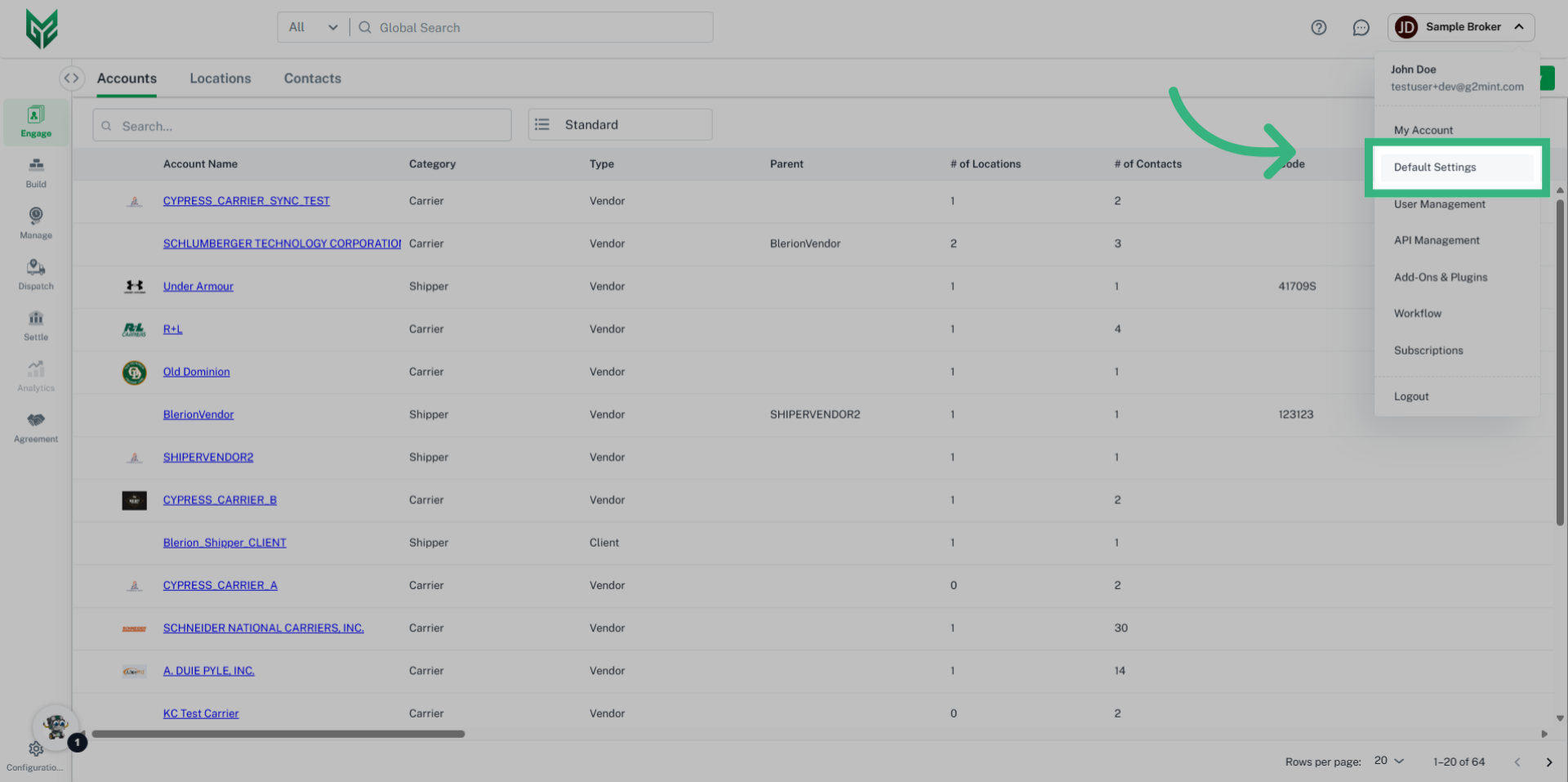
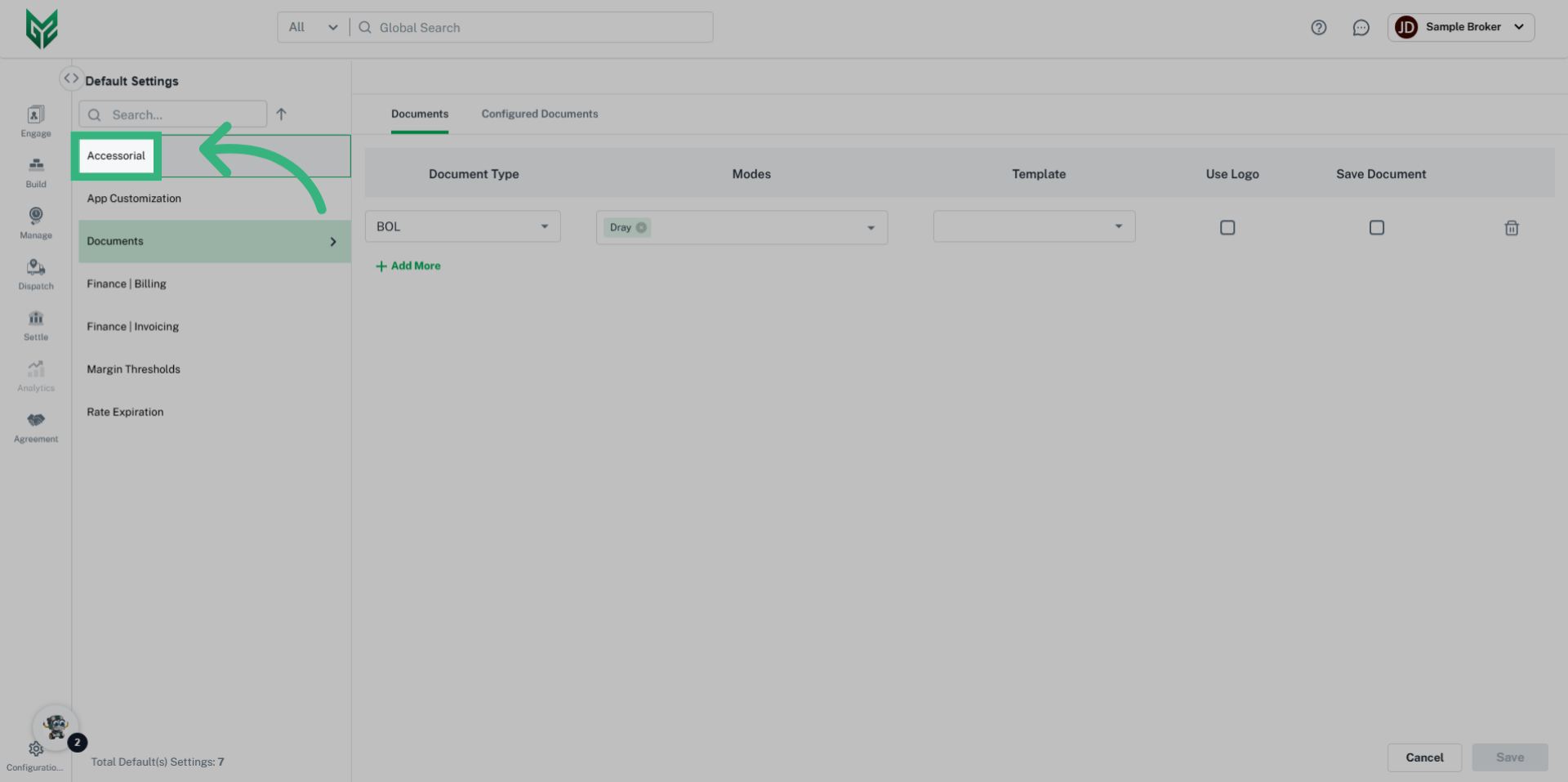
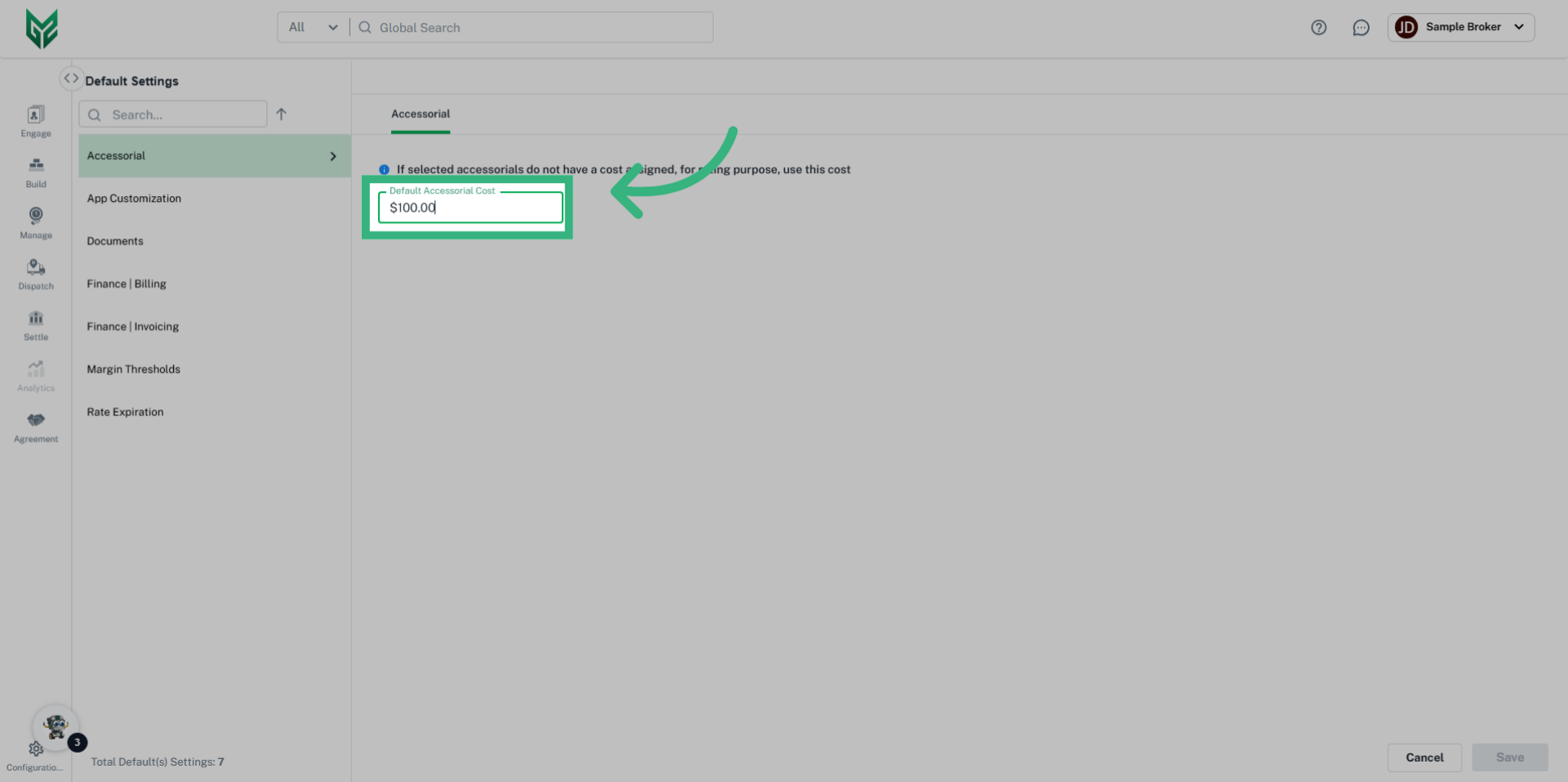
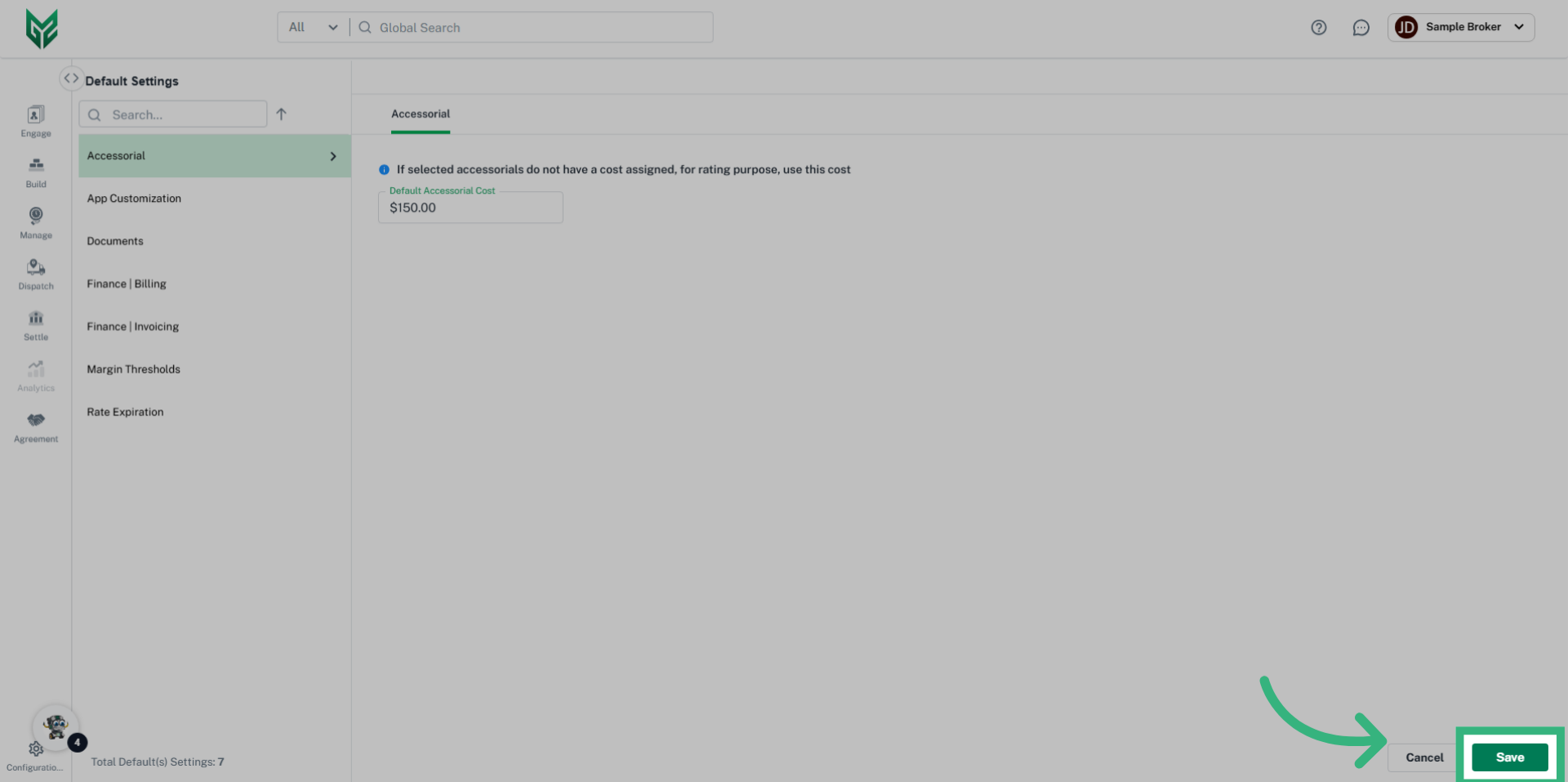
Within the Default Settings: Accessorial section, users can assign a standard cost to unrecognized accessorial charges that may not be captured through web service rating integrations. For example, any unrecognized accessorial will automatically default to $100.
How to create a default charge for a specific accessorial?