Skip to content
English
  • There are no suggestions because the search field is empty.

Default Settings Finance/ Billing

Establish customized Default Settings within the application 

Last Updated: April 12, 2025

Applies to:

Shippers, Brokers

Common Scenario(s)/Challenge (s):

One of the more common challenges users face is the inability to effectively customize their default settings to meet their organization's operational requirements. Many users may find themselves navigating through a one-size-fits-all approach, which can lead to inefficiencies in workflow and communication. By addressing these challenges, users are empowered to create a more streamlined and effective environment.  Default Settings enables users to align their standard account settings—such as required documents, text color/size, financial thresholds, and other user-specific options—with their company's operational standards and communication style.

Solution Overview:

The G2Mint TMS functions as a "tenant-based" system, enabling a hierarchical structure where a parent account can create multiple sub-accounts for Carriers and/or Clients. When defaults are established at the parent level, all newly created sub-accounts automatically inherit these default settings. This feature enhances consistency and efficiency across all accounts. Examples of the default setting capabilities include:

  • Document requirements
    • In order to pay a freight bill, the Carrier must have included the POD
  • All quotes are set to expire within 24 hours
  • Invoice Payment terms always set at Net 30
  • Tolerance of $ or % for Freight bills with settings for each cost line (Linehaul, Fuel and Accessorial) 

Note: Setting a "Client specific" mode will always override a Default setting 

Finance settings allow the User to set triggers which determine a desired status, set a determined Quick Pay policy, and create desired audit thresholds.  Finance Billing offers:

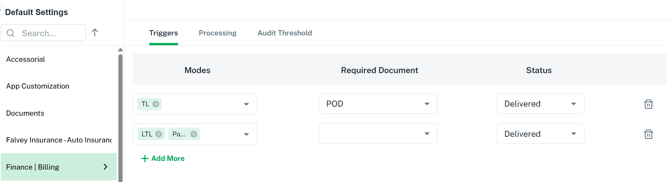
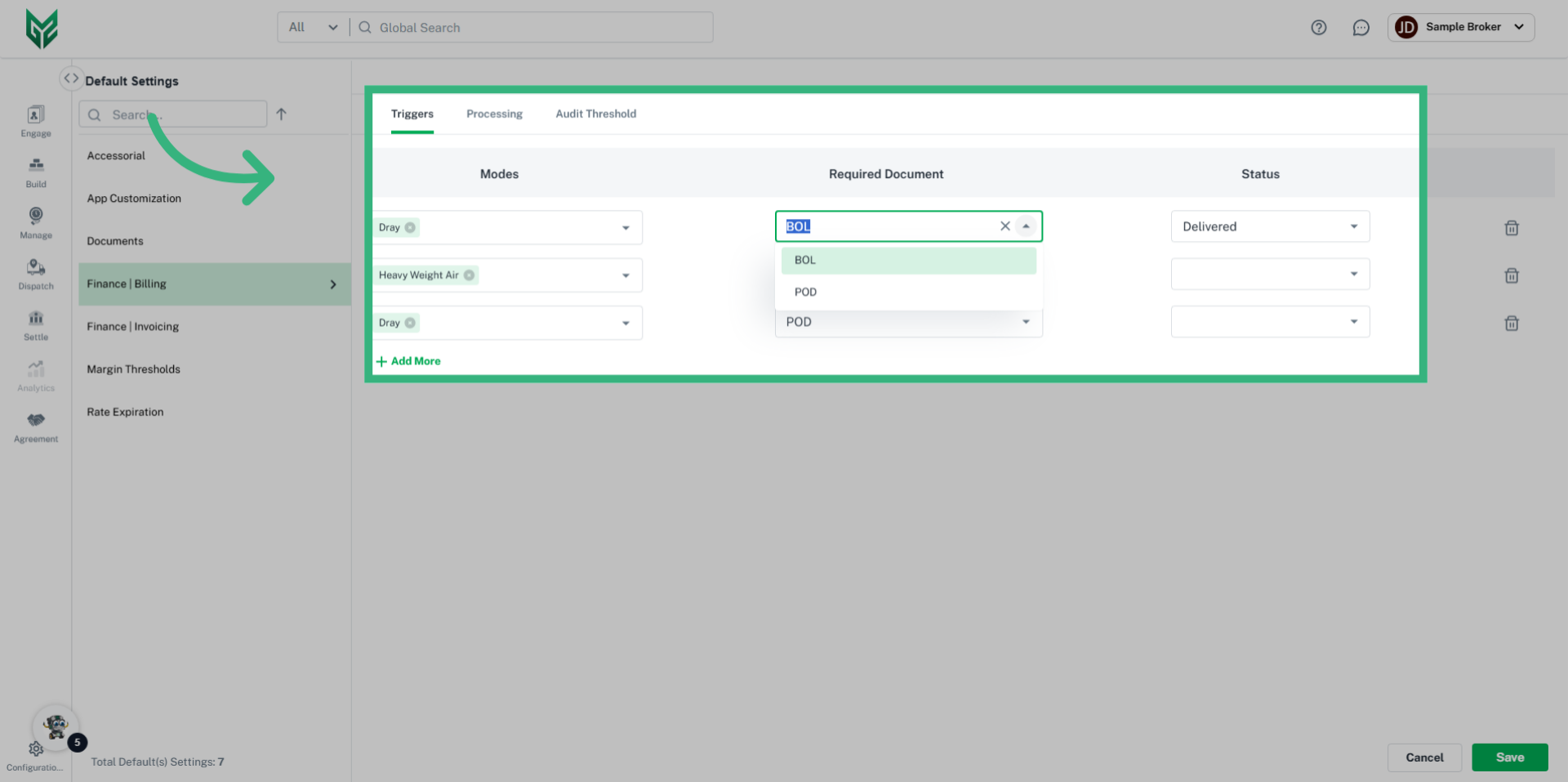
  • Triggers: Brokers and Shippers to create workflows, or triggers, for Carrier documentation (ie, POD is required for a status of "Delivered") that impacts their expenses. 
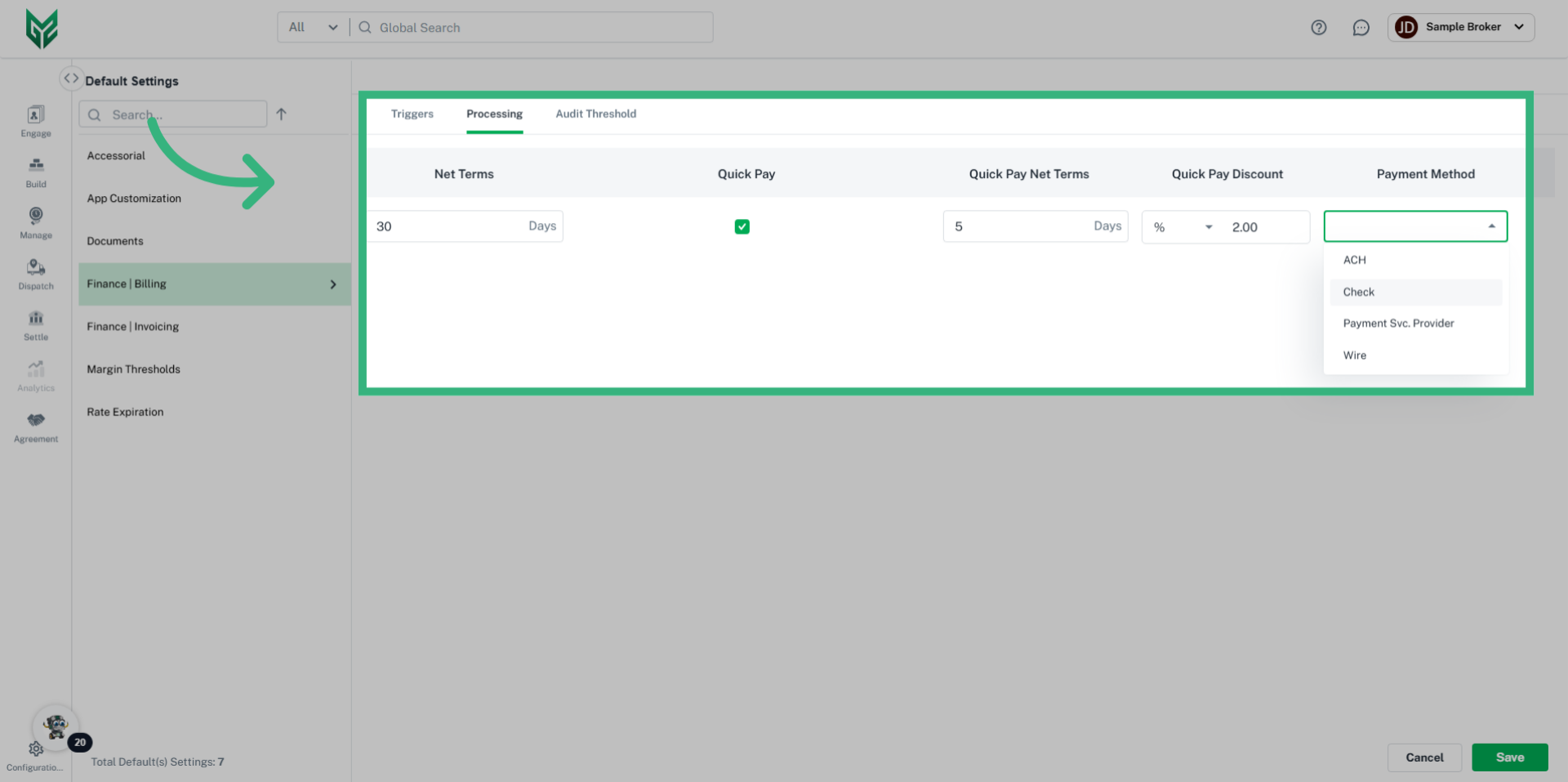
  • Processing: Create the billing terms desired by entering Net Terms. Activate a Default Quick Pay discount by selecting the checkbox, and enter discount. When a Carrier client enters into your system through a portal, they will have the option of accepting your Default terms.
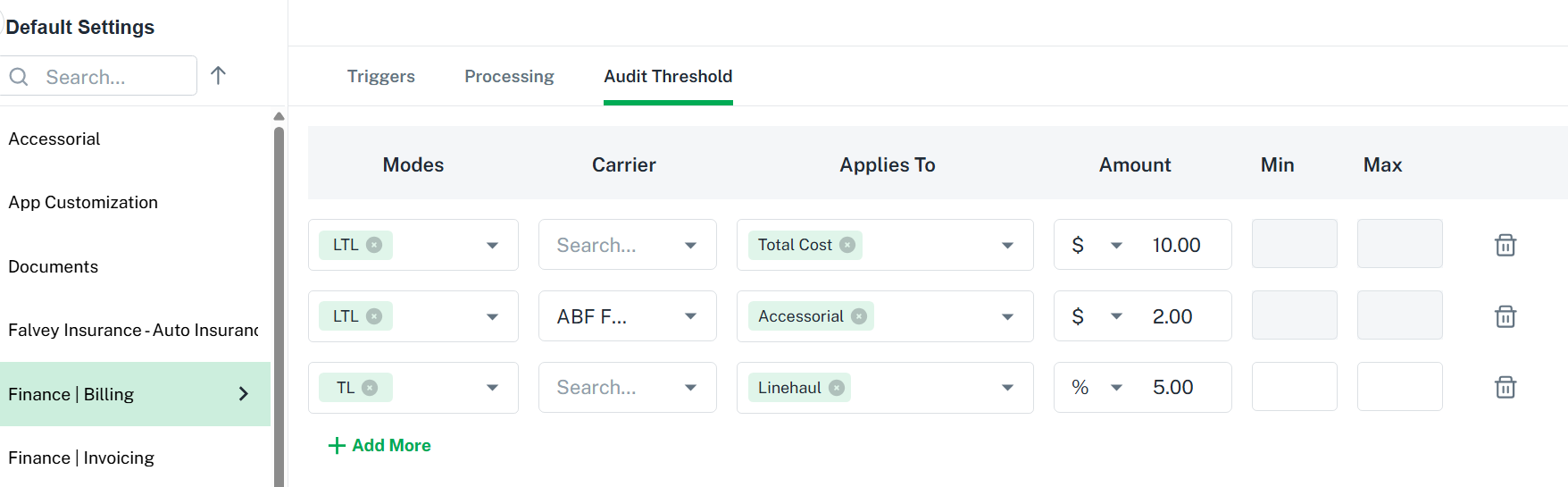
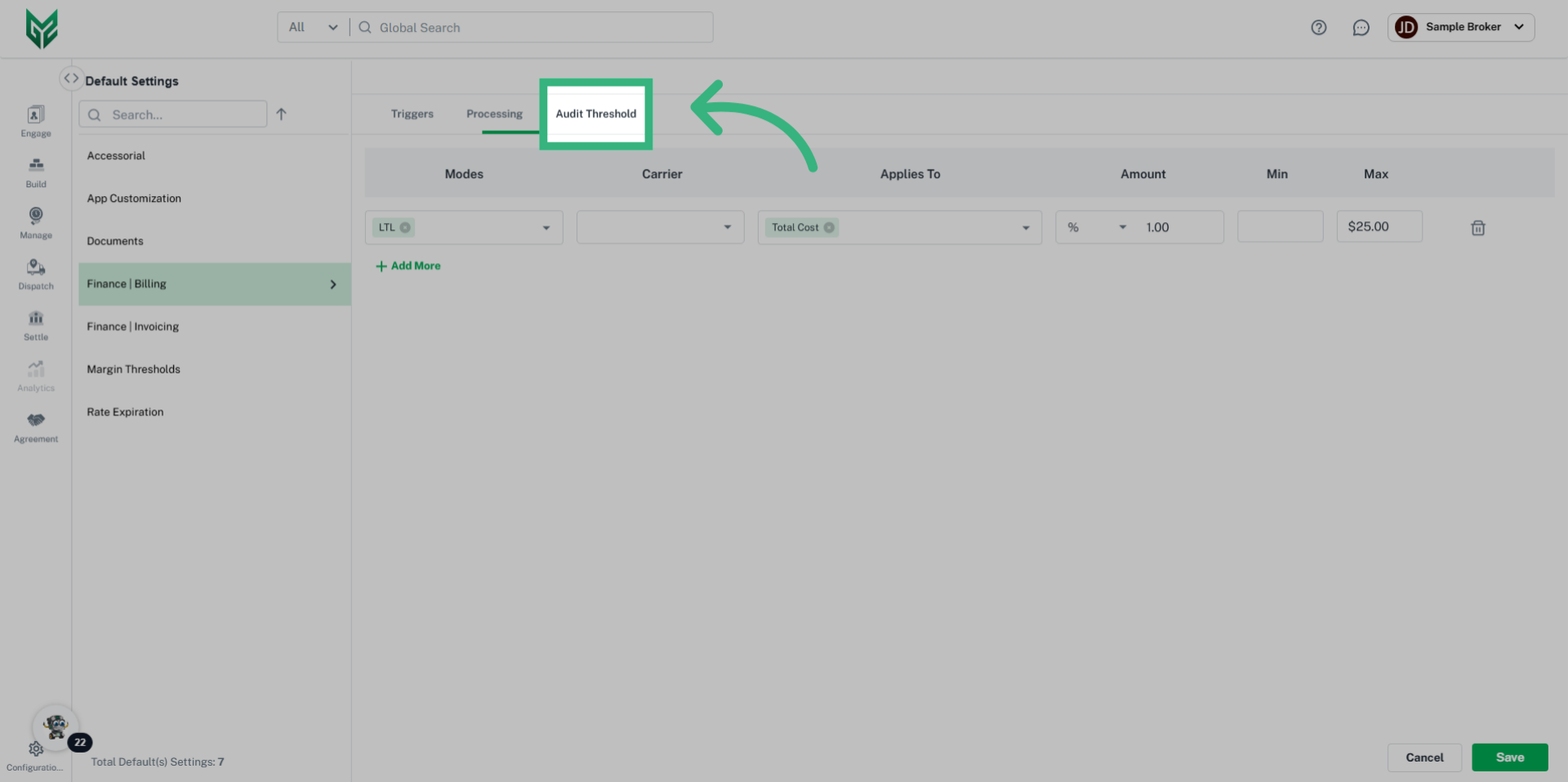
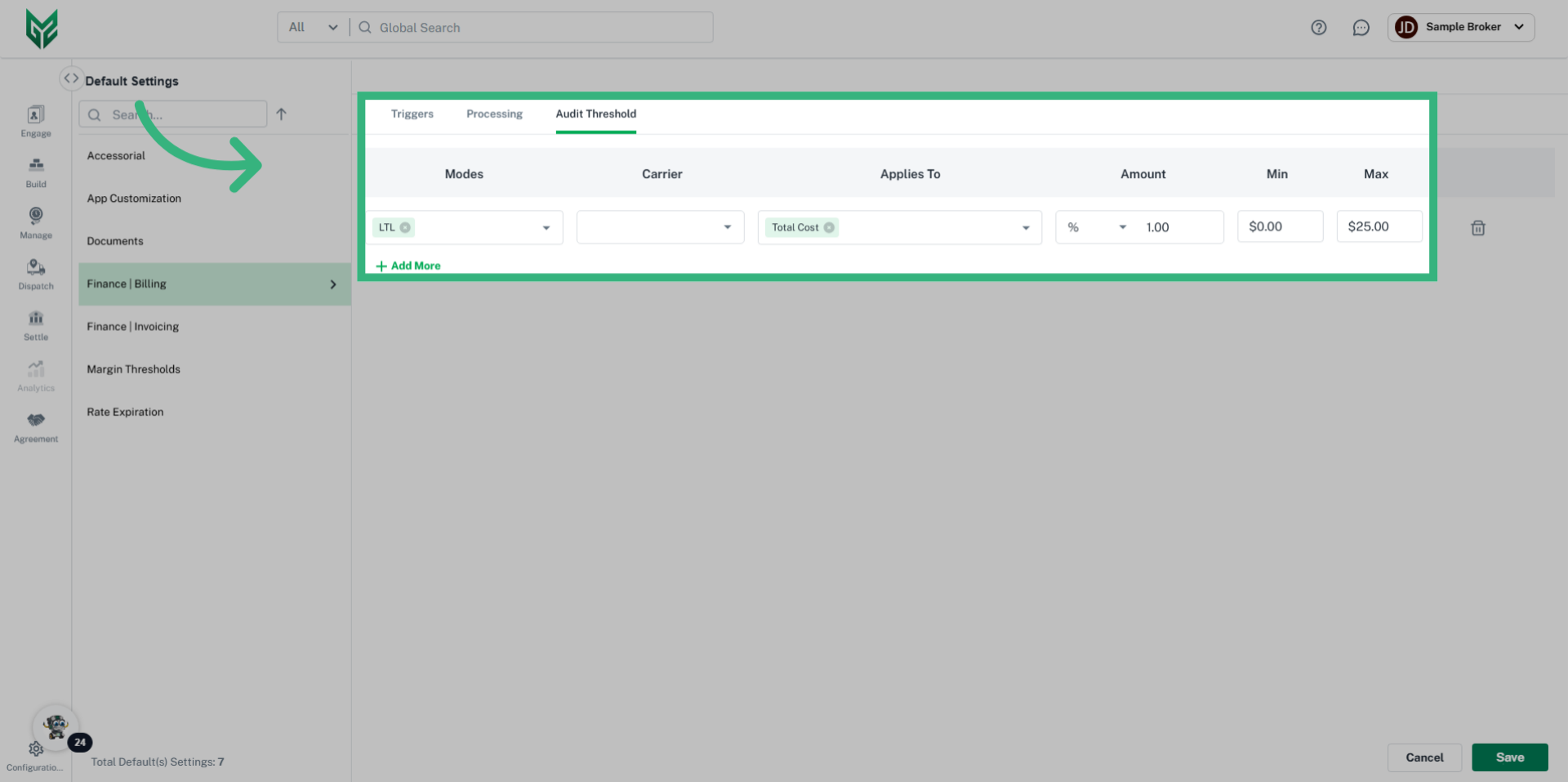
  • Audit Threshold: Creates a tolerance, or criteria by percent or dollars determining where a financial statement needs to be audited.  This criteria can be determined by Mode or specific Carrier, and can also be linked to Total Cost, or more specific line items (Accessorial, FSC, Linehaul).

Create Billing Criteria: 

The Finance Billing section within Default Settings allows for customized options in Billing your clients, including status triggers, net terms, quick pay and Audit threshold.

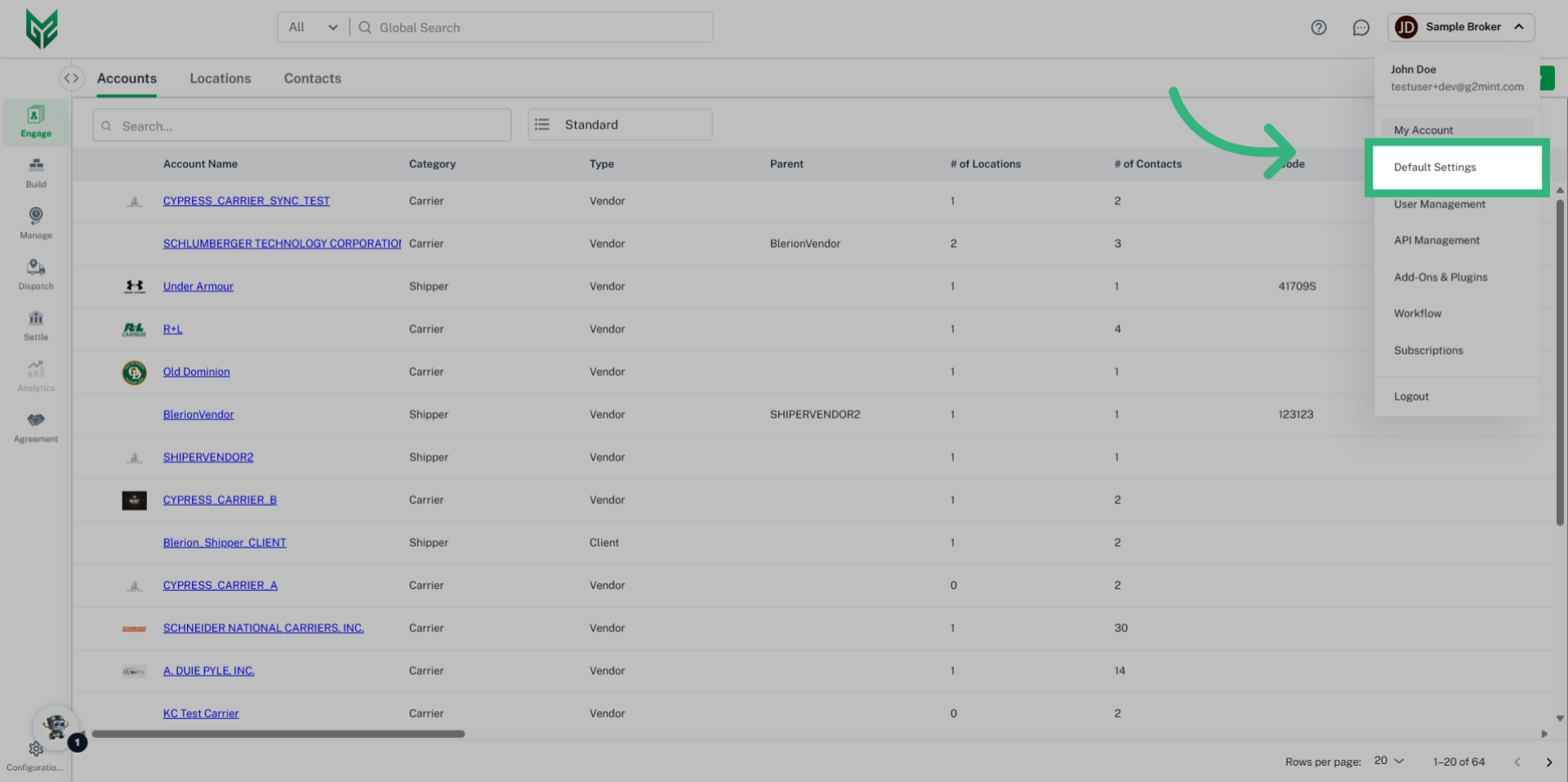
1. Click "Default Settings"

Select the "Default Settings" option within User Name.
Click 'Default Settings'

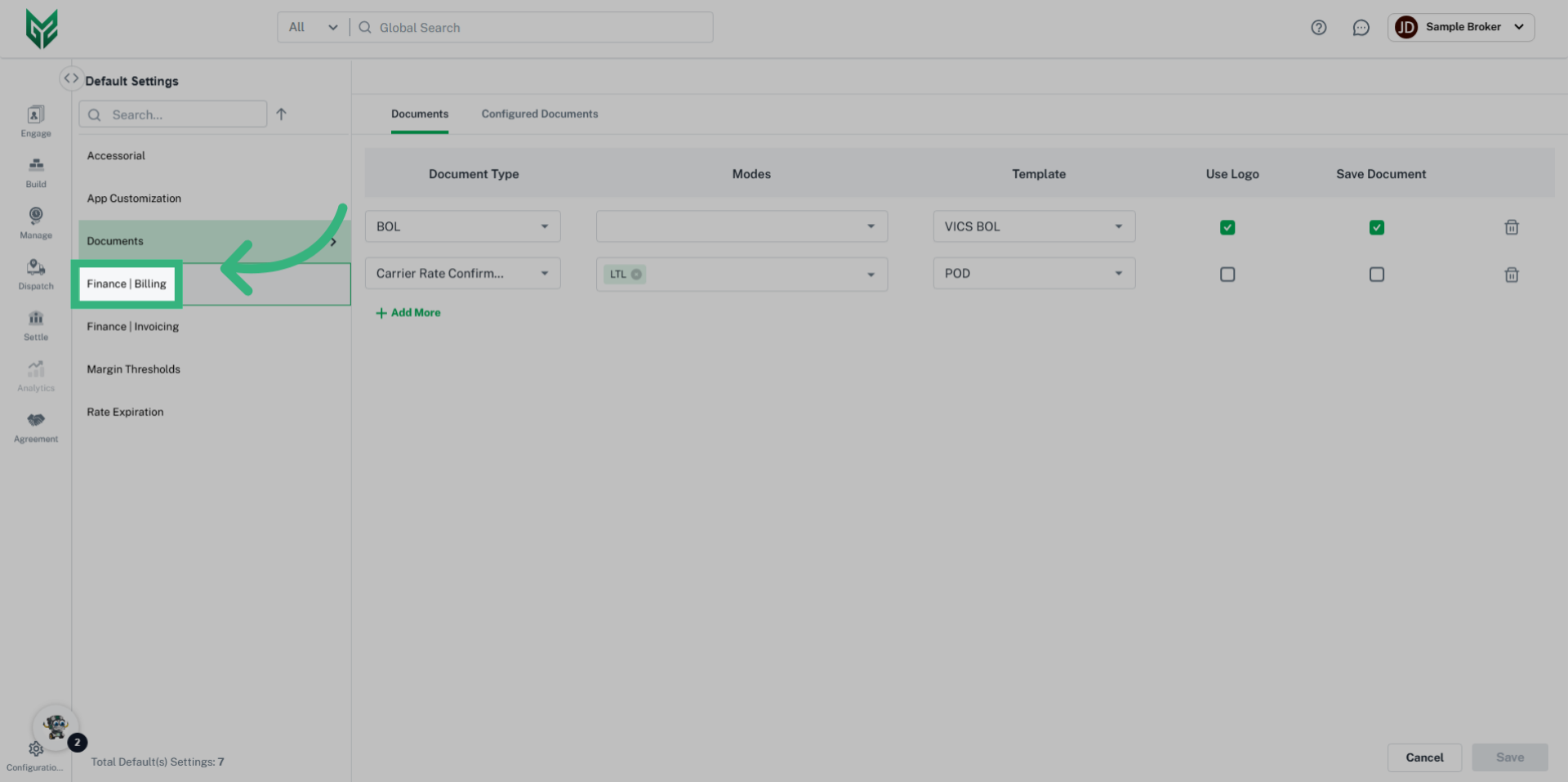
2. Click "Finance | Billing"

Navigate to the "Finance & Billing" section from the dropdown menu.
Click 'Finance | Billing'

3. Enter "Trigger" details

Enter the desired "Triggers", including Mode, Required Document, and the Status that triggers the need for that Document.
Enter 'Trigger' details

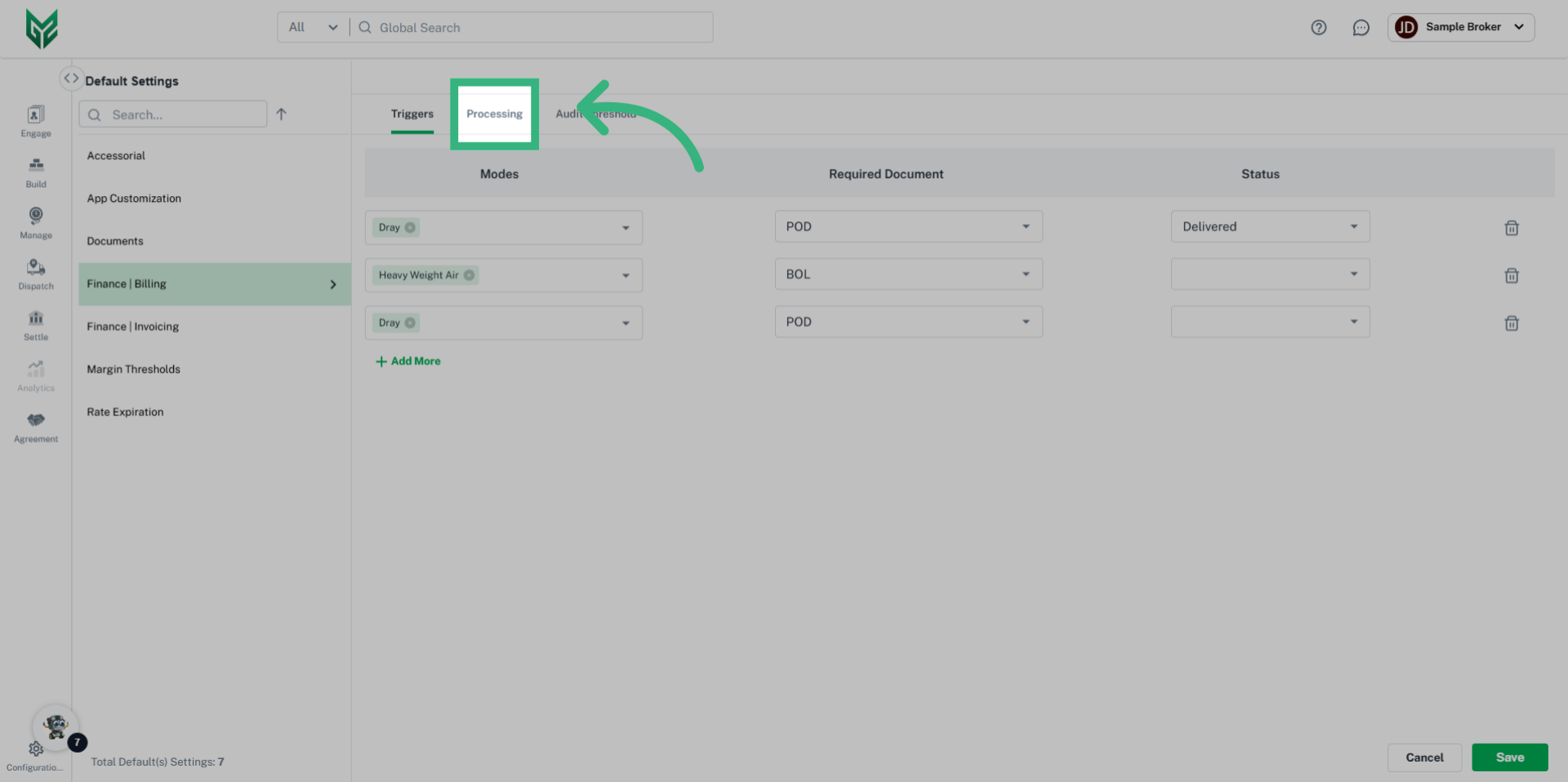
4. Click "Processing"

Select the "Processing" tab from top navigation bar to create default Net Terms and activate default Quick Pay details.
Click 'Processing'

5. Enter "Processing" details

Enter "Processing" details. In this example, we have set 30 Day Billing Terms, activated Quick Pay, and offered a 2% discount if paid within 5 days of receipt.
Enter 'Processing' details

6. Click "Audit Threshold"

Select Audit Threshold from the top navigation bar to create a default tolerance determining when a financial document needs to be audited.
Click 'Audit Threshold'

7. Enter  "Audit Threshold" details

Enter the "Audit Threshold" details. In this example, an LTL Shipment with a 1% or less discrepancy on Total Cost with a maximum variance of $25 will be auto-approved.
Enter  'Audit Threshold' details

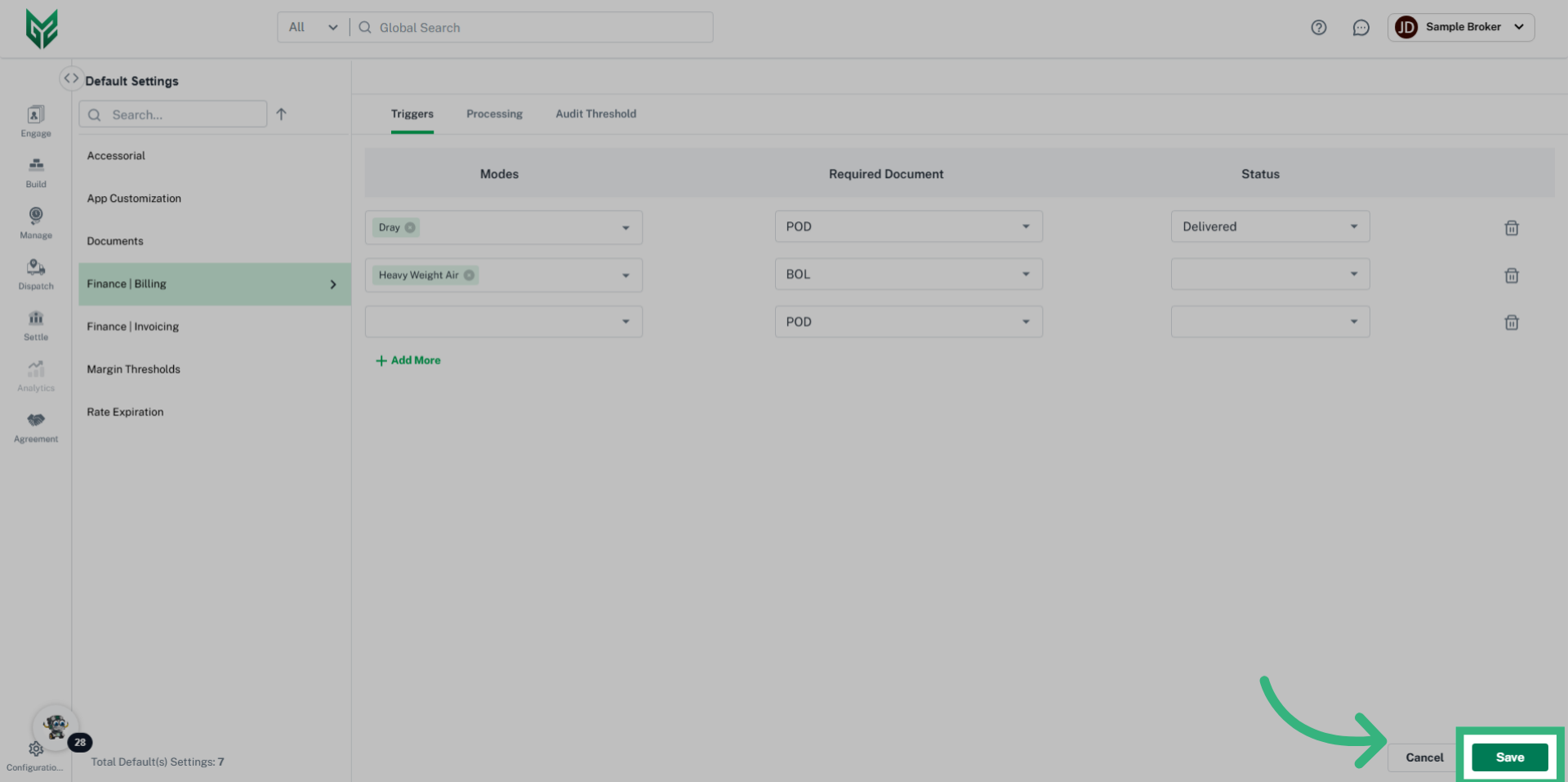
8. Click "Save"

Select "Save".
Click 'Save'
For further information, please reach us at support@g2mint.com.