Last Updated: 8/29/2025
Applies to:
Shippers, Brokers, Carriers
Common Scenarios/Challenges:
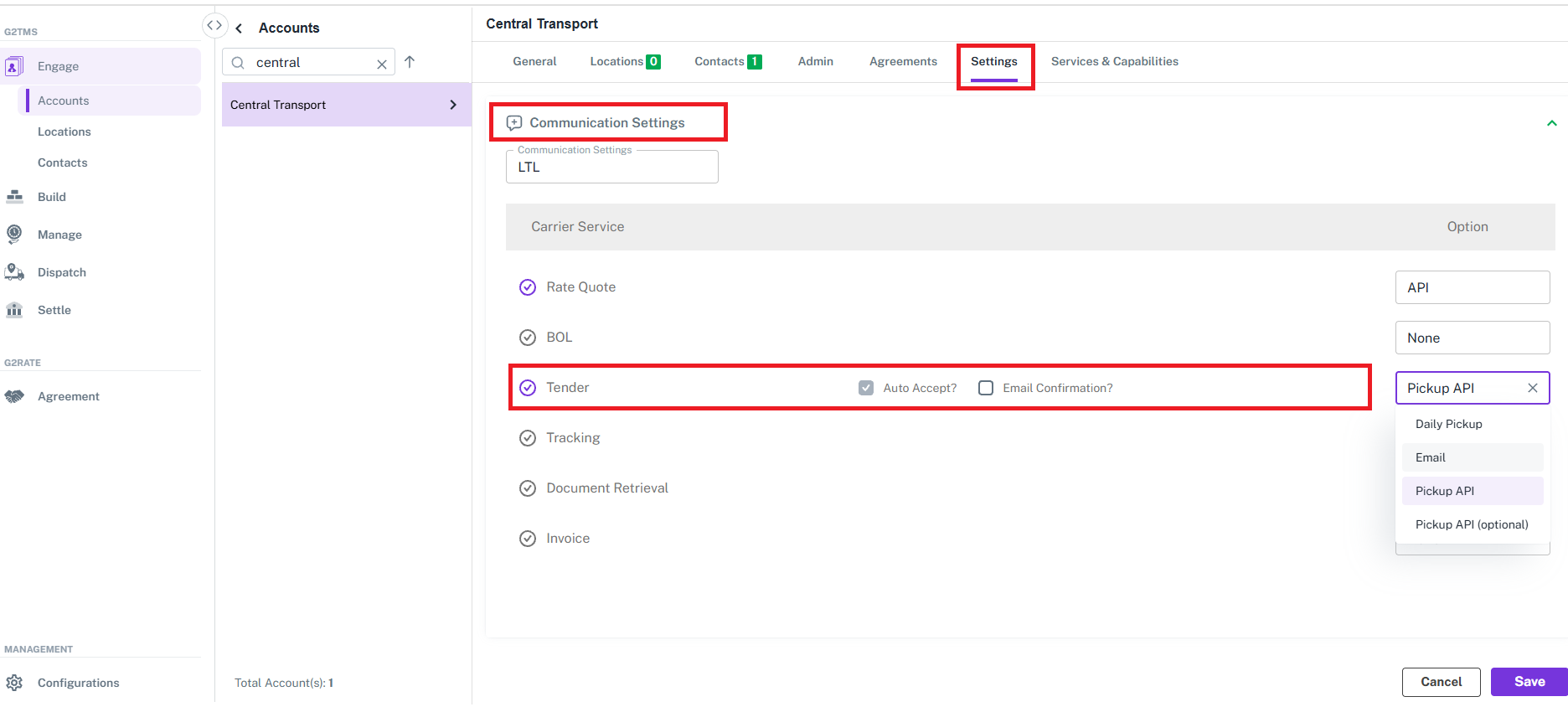
Within the 'Settings' tab of an account there is a communication settings where shippers and brokers can manage the protocols to communicate with a provider (e.g Rating, Tendering, Document Retrieval etc.). These methods are essential as carriers supported web services may vary or there can be intermittent outages requiring alternative methods (such as scheduling pick ups).
The following communication settings are available for a Carrier account within the Engage section:
-
- Rate Quote
- BOL
- Tender (Utilize checkboxes to Auto Accept an Tender Request, or receive an email confirmation when accepted)
- Tracking
- Document Retrieval
- Invoicing
Solution Overview:
This provides step by step instructions on how to adjust the communication settings associated to scheduling a pick up request and updating the Tender service.
How to adjust the communication settings for Tendering on a carrier account?
- Go to Engage>Accounts
- Locate and select the specific carrier account you wish to review and update
- Select the 'Settings' tab
- Choose 'Communication Settings'
- Within the 'Tender' service, click inside the associated Option and select the appropriate option for the specific carriers account you wish to update.
- Pickup API should only be utilized if the carriers pick up service is available via G2Mint (coming soon will be a link here to view support web services by carrier).
- Email is best when the pick up requests cannot be scheduled via API (this could be a limitation of the carrier or a temporary outage with their service). Note: Check the 'Auto Accept?' box if you plan to schedule the pick up on the carriers site but want to reflect the shipment tender status of being 'awarded' when tendering the shipment.
- Select the option and click the 'Save' button in the bottom right.