How to generate a spot quote from your carriers?
This article covers the steps needed to request a spot quote from your carriers
Learn how to efficiently manage and Tender your Rate.
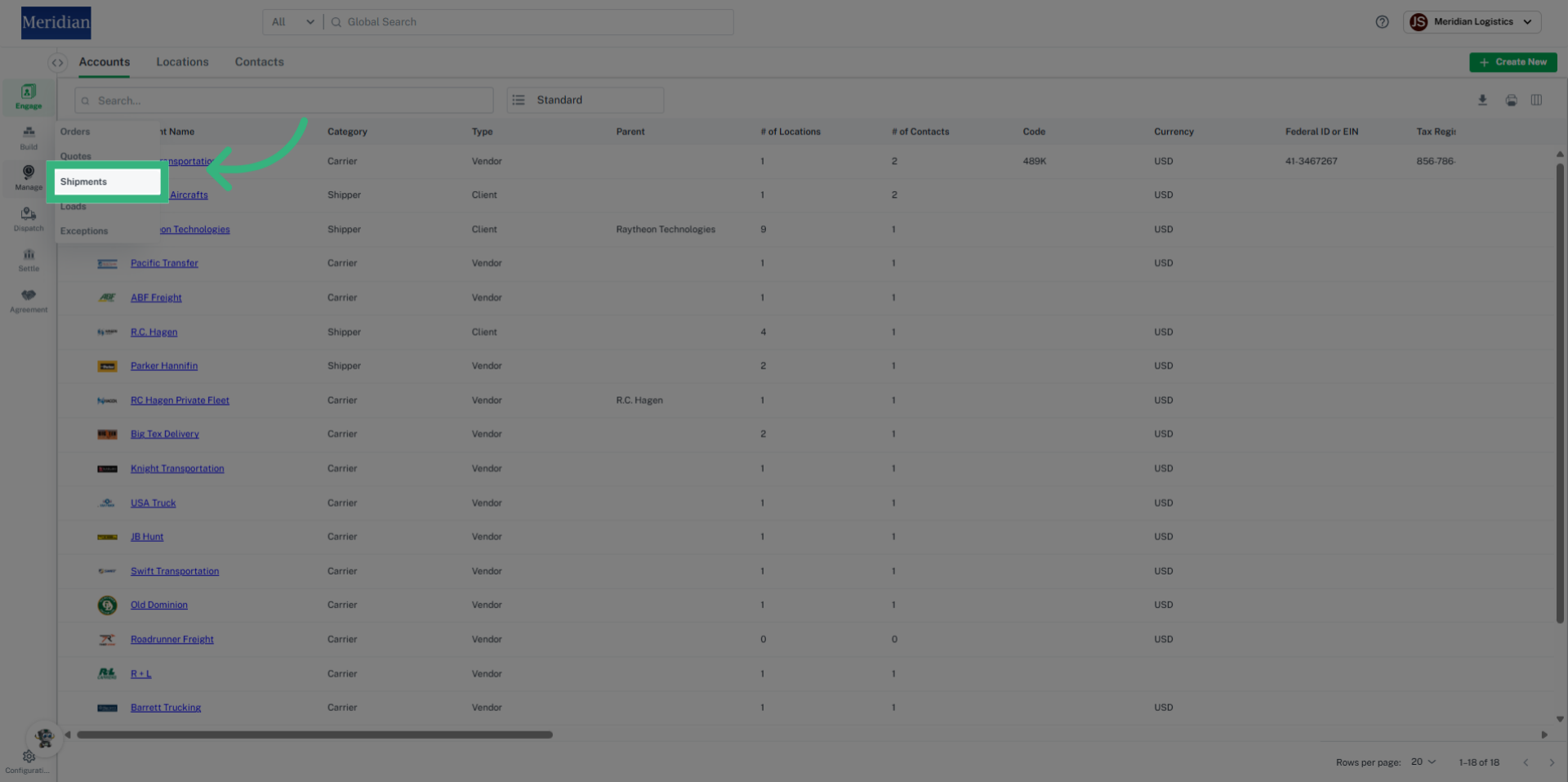
1. Click "Shipments"
Navigate to the Shipments section.
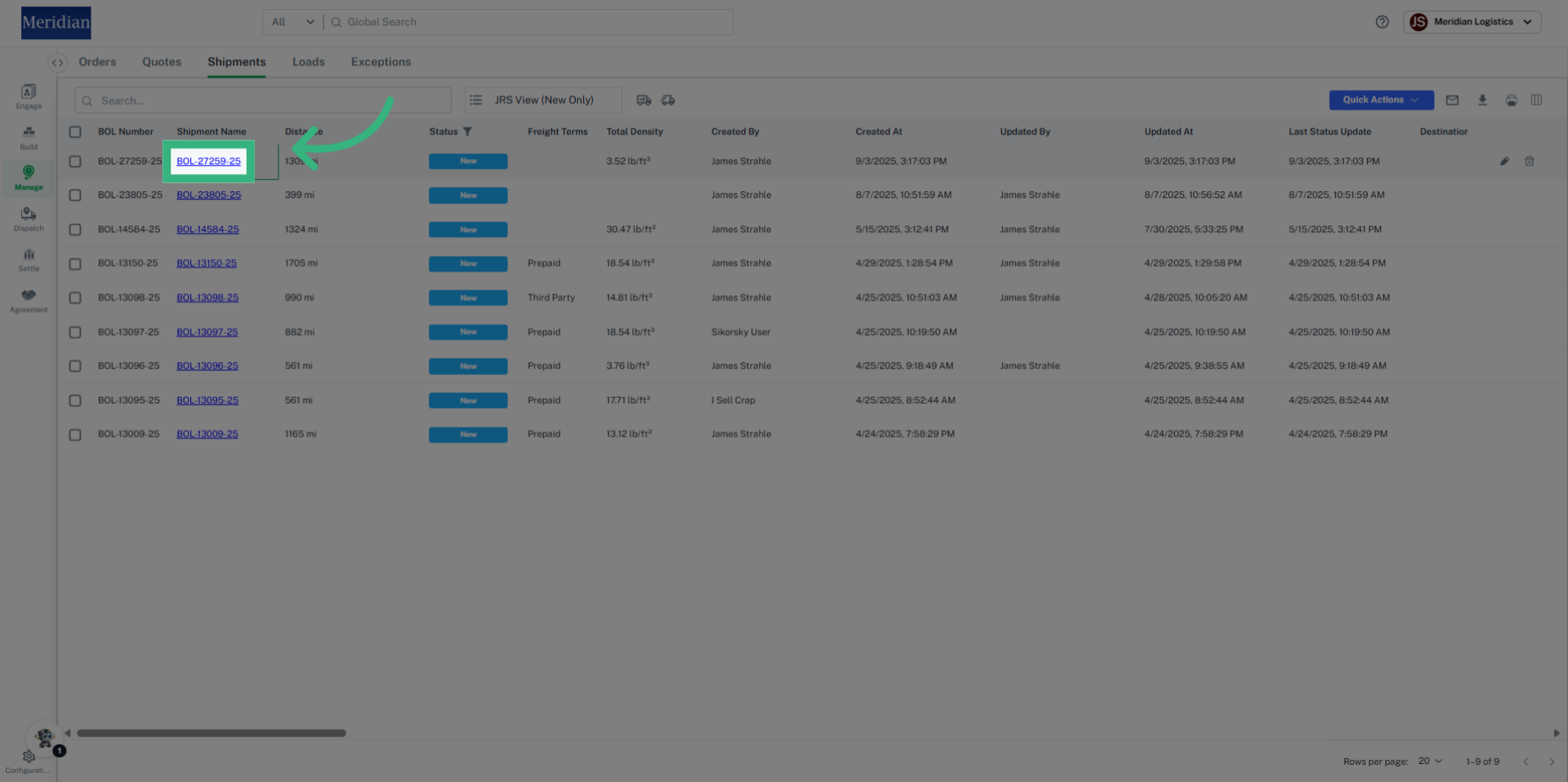
2. Click "BOL" link
Select the specific shipment identified by its unique Bill Of Laden number.
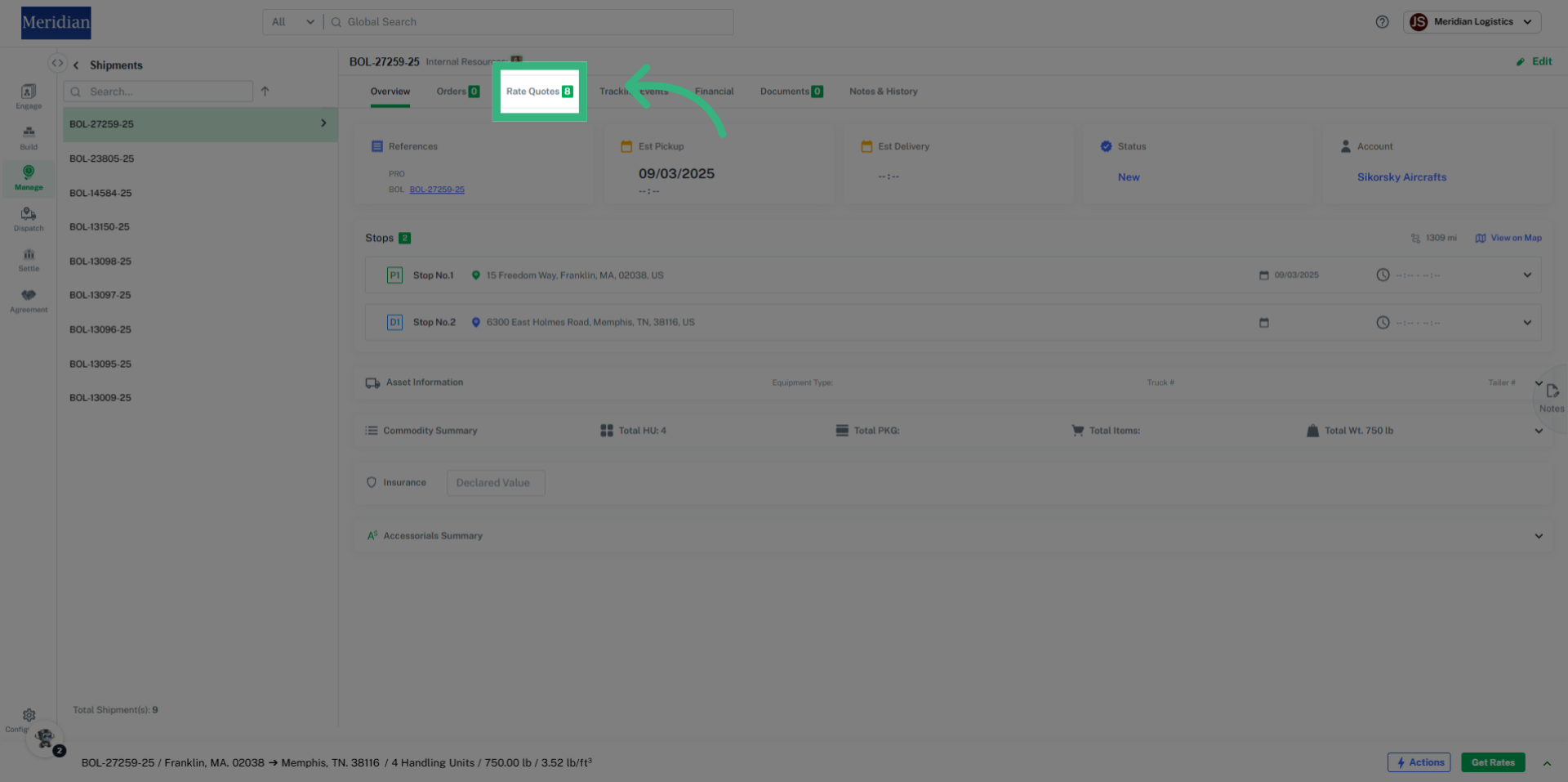
3. Click "Rate Quotes"
Open the Rate Quotes tab to review existing Rates.
4. Click here
Existing Rates can also be accessed by clicking the designated link.
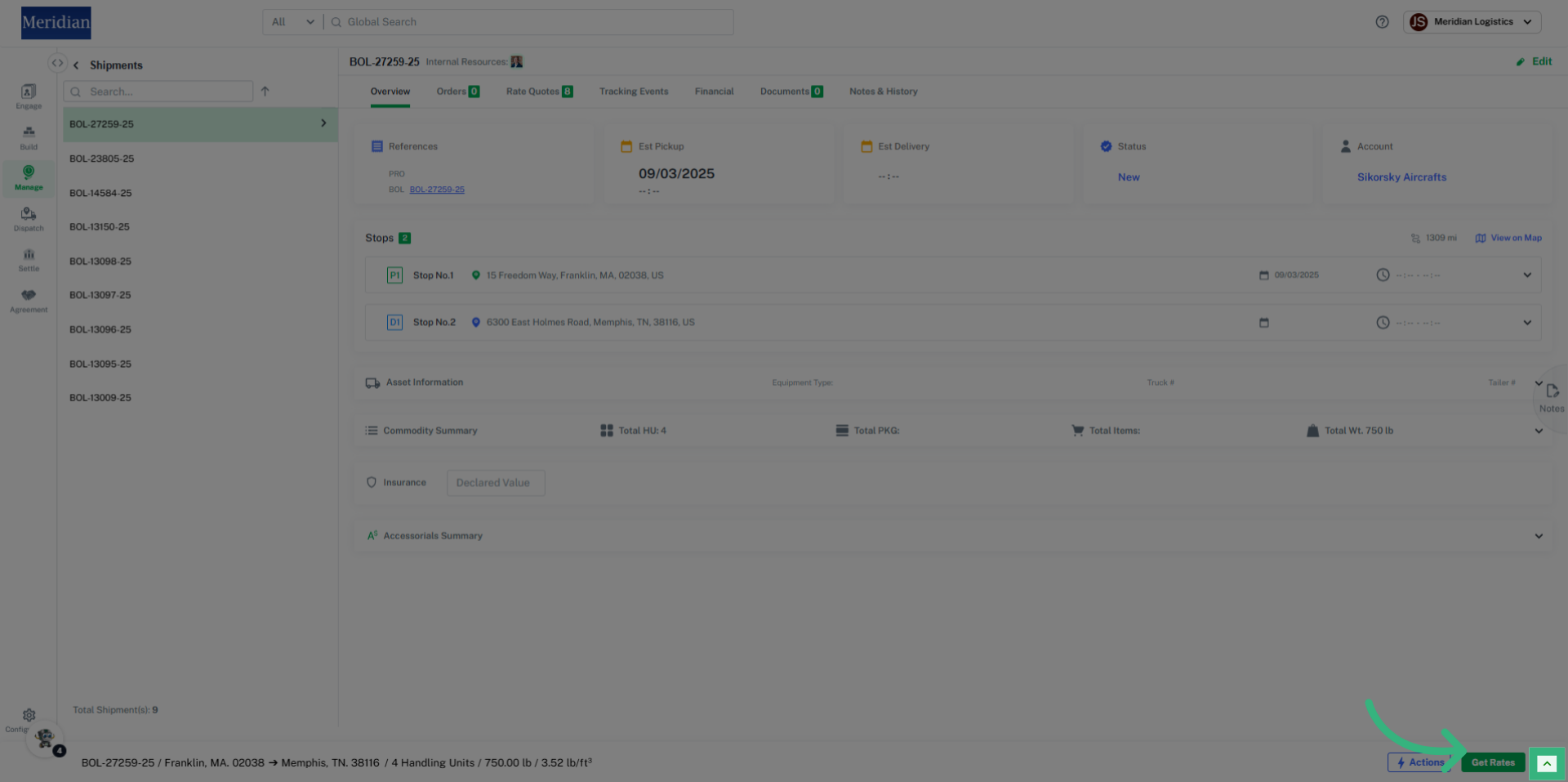
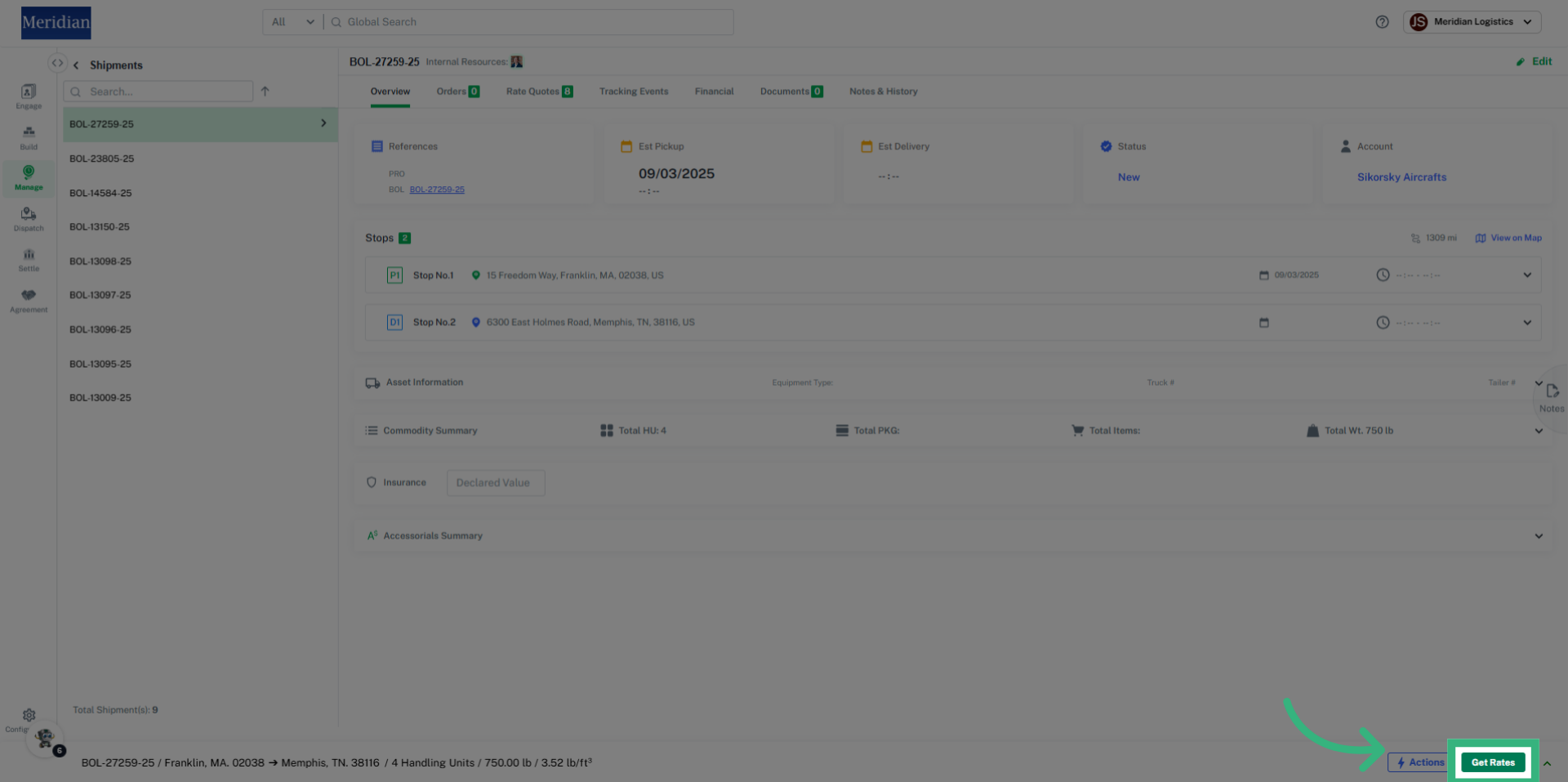
5. Click "Get Rates"
Refresh your Rates if desired by selecting "Get Rates".
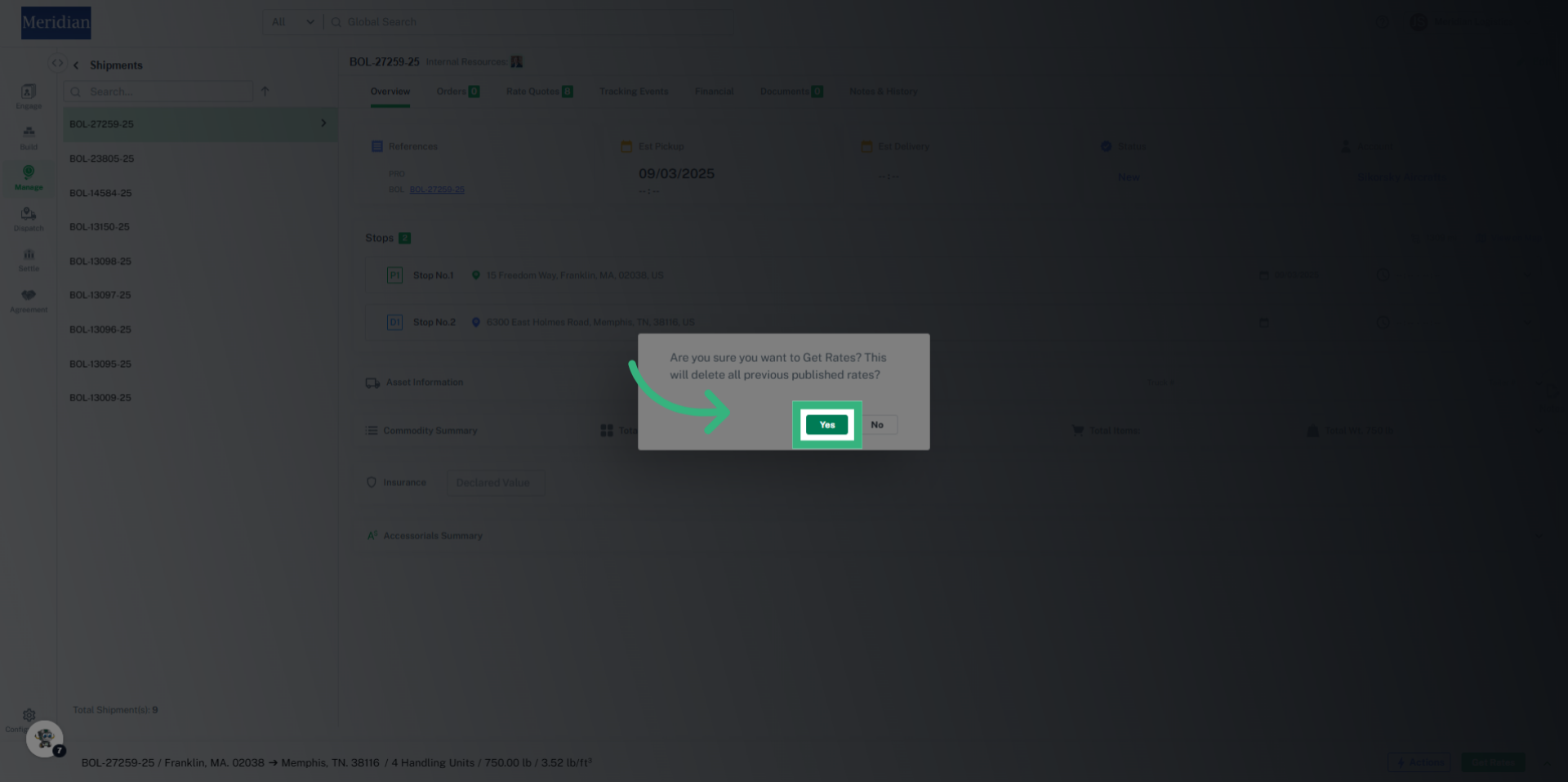
6. Click "Yes"
Confirm your action by selecting Yes to proceed with fetching updated rates.
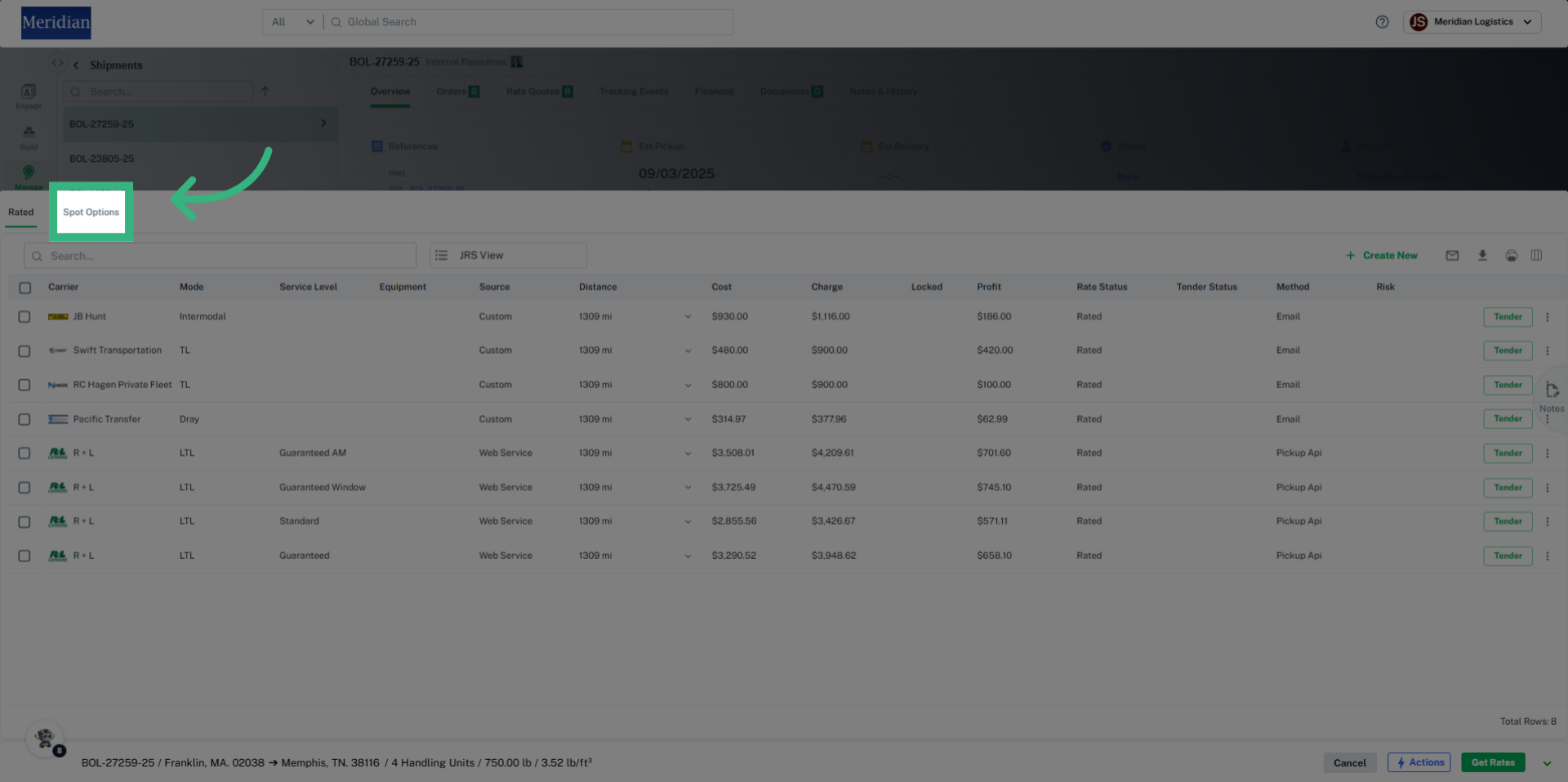
7. Click "Spot Options"
Switch to the Spot Options tab to view alternative spot rate offerings for Full Truck Load shipments.
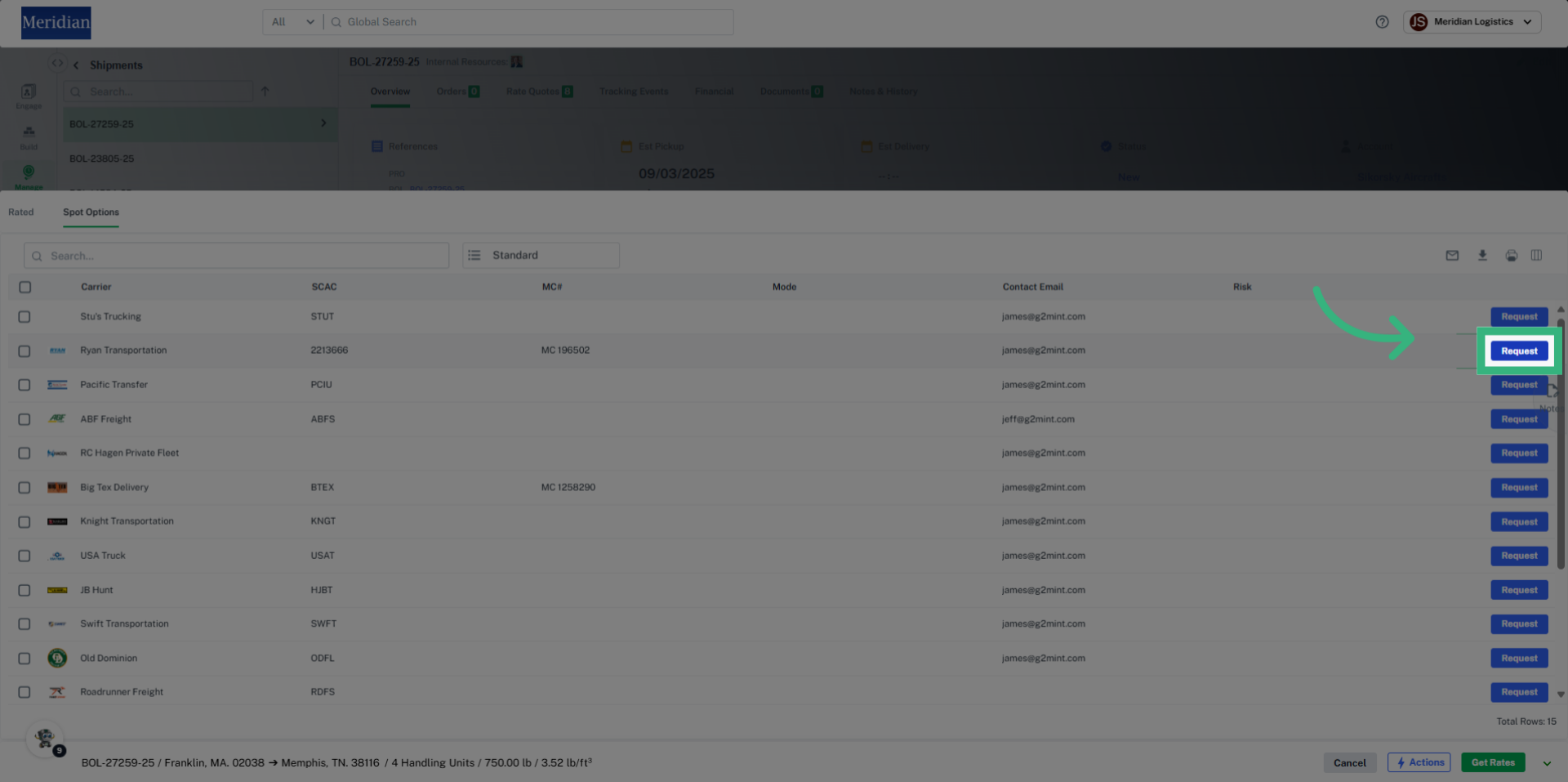
8. Click "Request"
Submit a spot rate request by clicking the Request button within the Spot Options.
9. Click "Request"
Confirm and send multiple spot rate requests if desired.
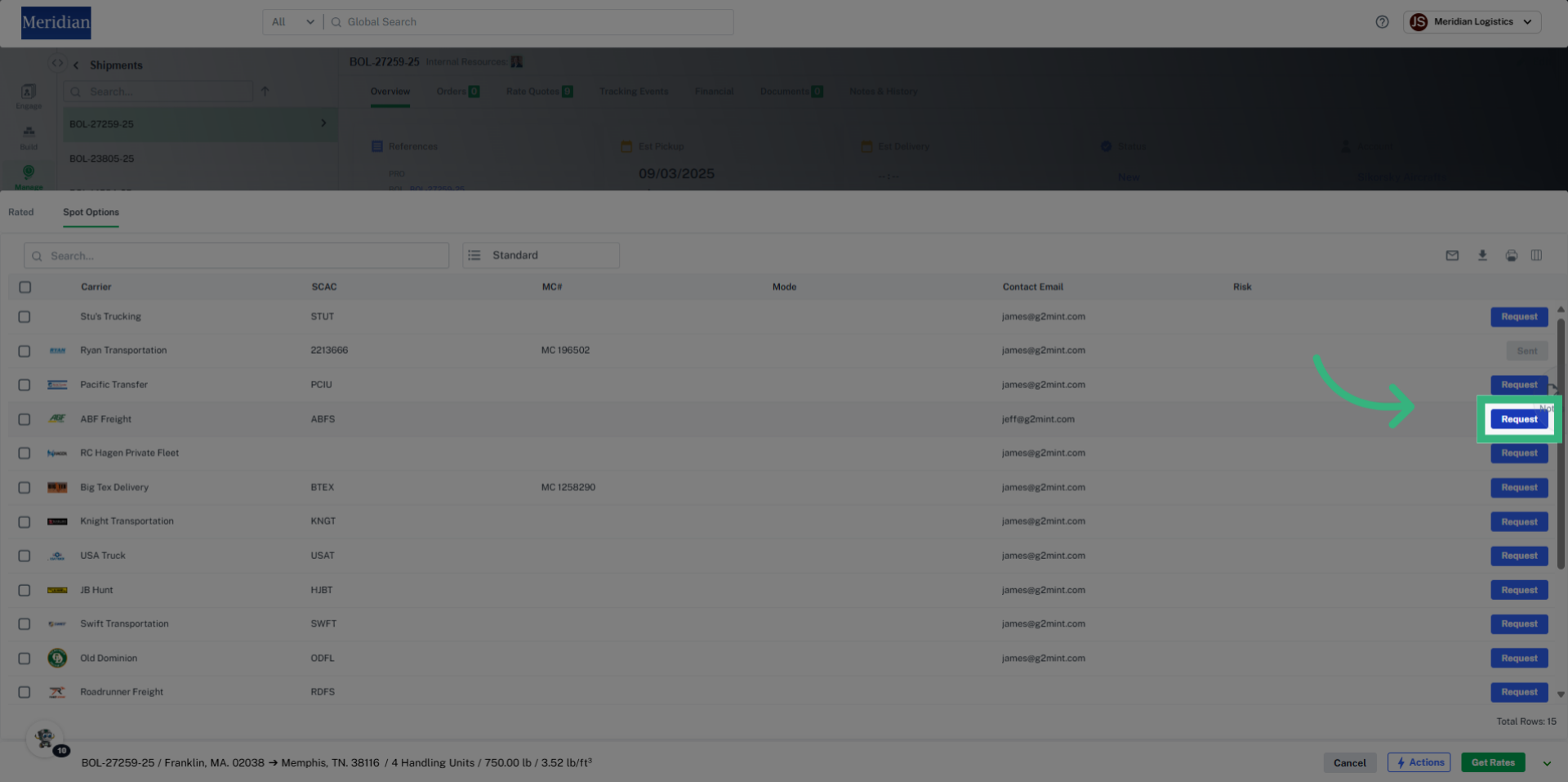
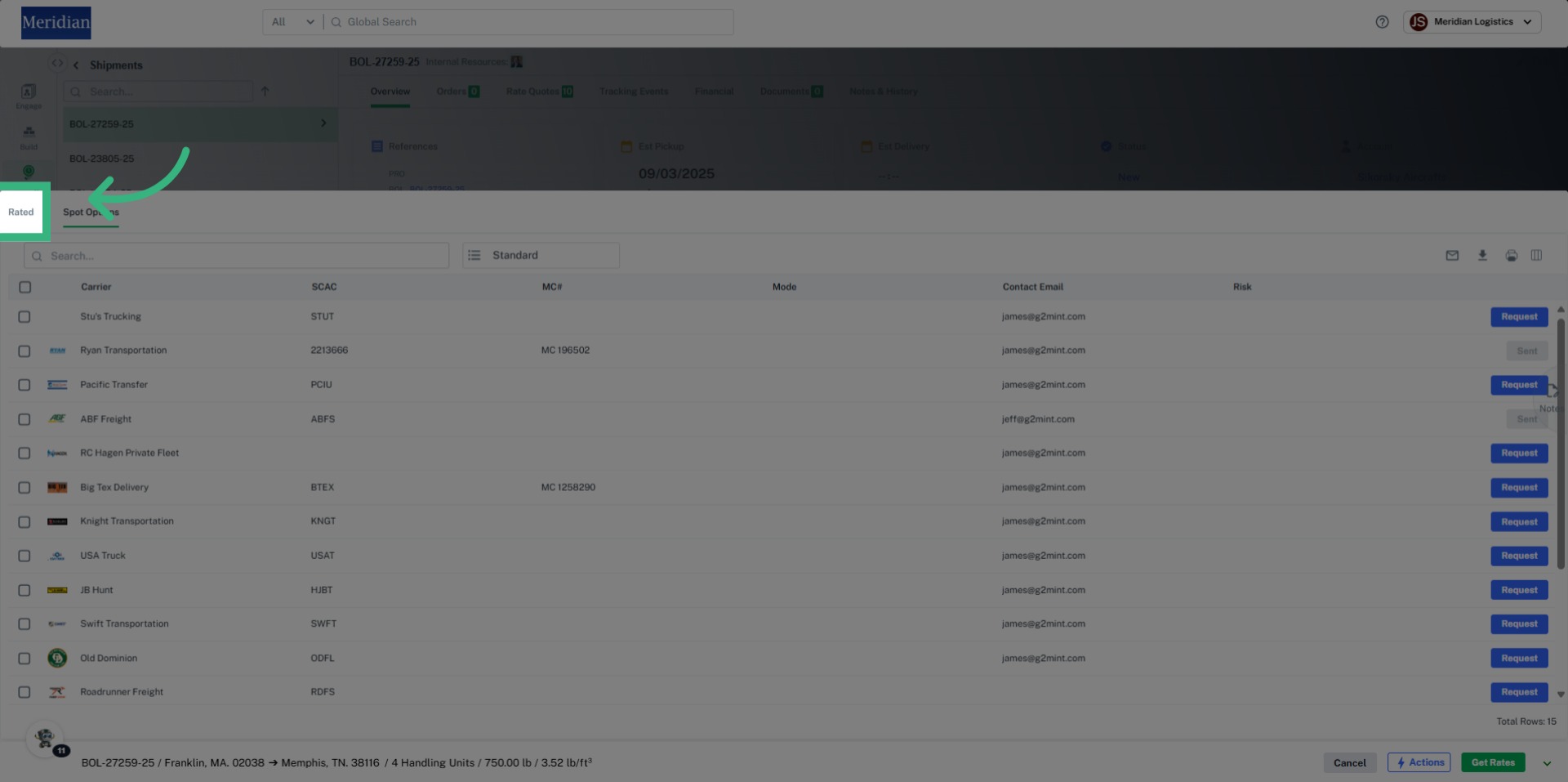
10. Click "Rated"
Filter your shipments back to the Rate Drawer list by selecting the "Rated" tab.
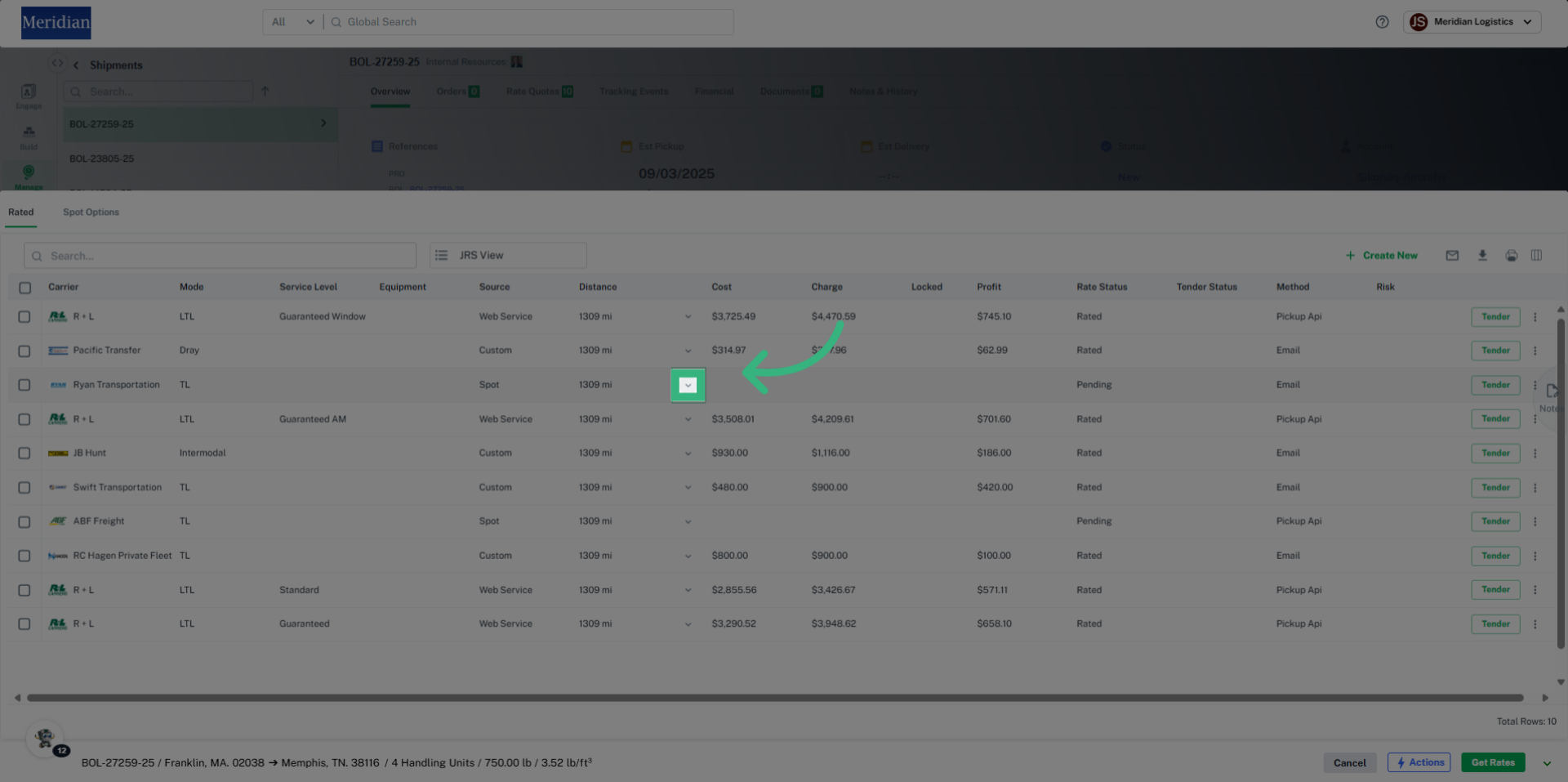
11. Click here
Access further shipment details by clicking the provided link within the rated shipments, like Cost Details, Billable Details, and any known Errors.
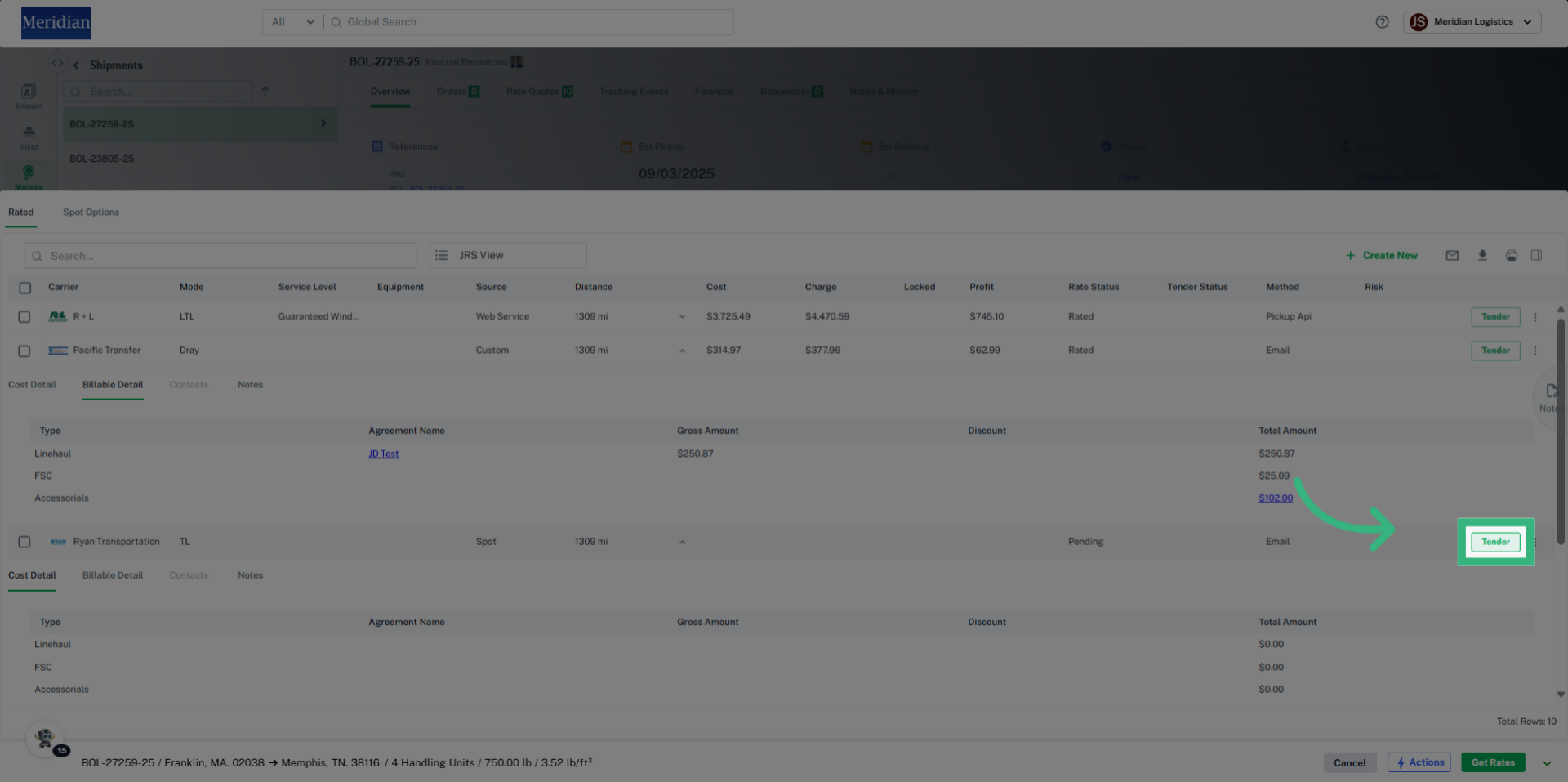
12. Click "Tender"
Select "Tender" to prepare your shipment for tendering to carriers.
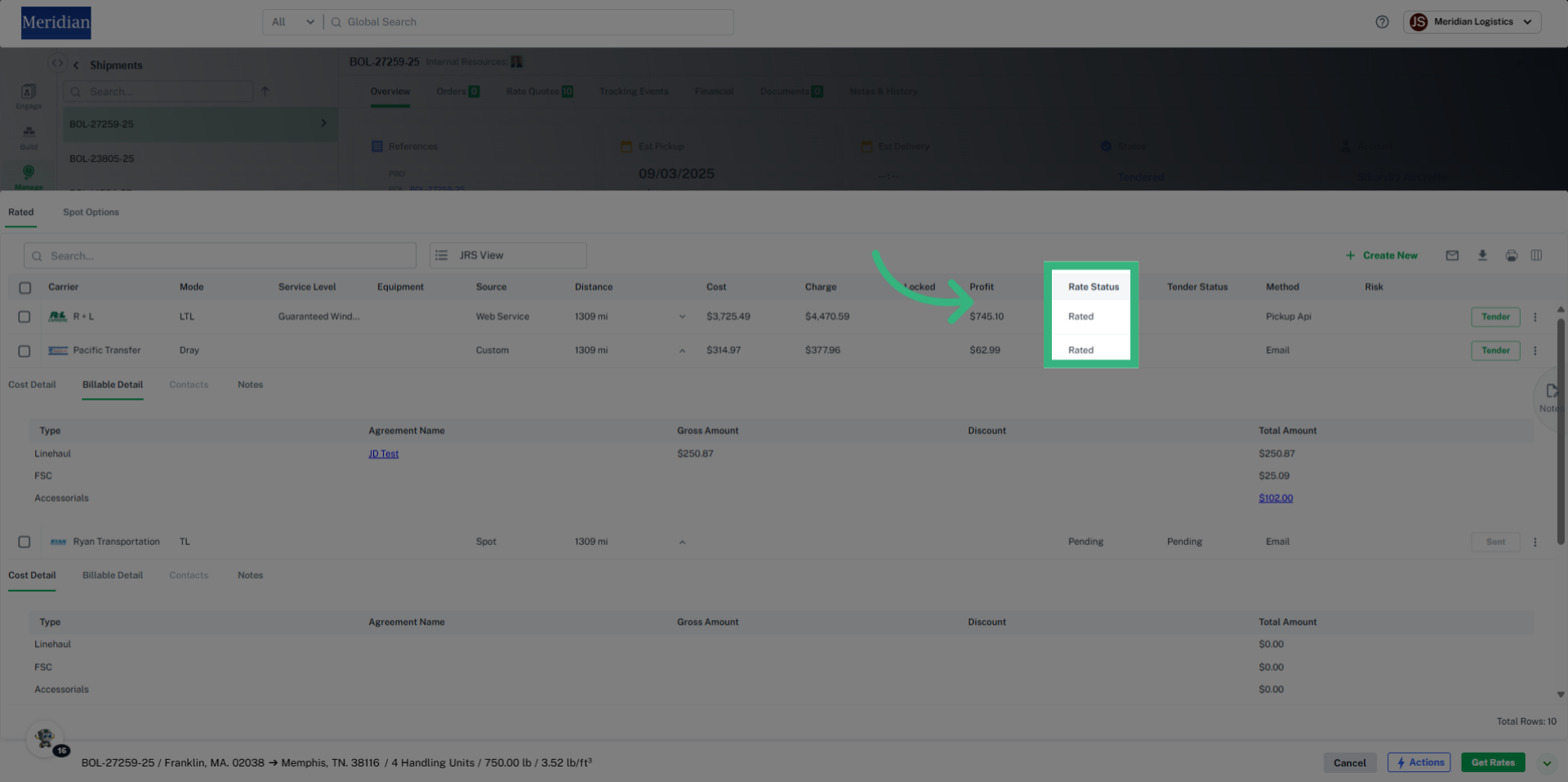
13. View Status
Status updates, such as Rated, Pending, Booked/Awarded, will be displayed on the Rate Grid, as well as in the Shipment overview.
This guide walked you through accessing shipment details, requesting spot rates, reviewing rated shipments, and managing the tendering process.