Last Updated: May 5, 2025
Applies to:
Shippers, Brokers, Carriers
Common Scenario(s)/Challenge (s):
Providing accurate Commodity details has a direct impact on:
- Pricing accuracy
- Proper Handling (Refrigeration for perishables, or specialized containers for hazardous material)
- Accurate Mode selection- The type of commodity can influence the best transportation mode, such as choosing air freight for time-sensitive goods, or sea freight for bulk cargo
Solution Overview:
Effectively managing and maintaining Commodities within G2Mint simplifies the process of creating shipments and eliminates uncertainty in accurately describing freight cargo. Our system allows for the management and shipment of Commodities as either individual items or bulk quantities (such as a tanker of gas or a hopper of coal). By utilizing the Commodities module, Users can swiftly input essential information when preparing a shipment, ensuring that the Carrier and consignee receive precise freight details through electronic communications and shipping documents like the Bill of Lading (BOL). This accurate identification of commodities leads to better selection and pricing of appropriate Carriers.
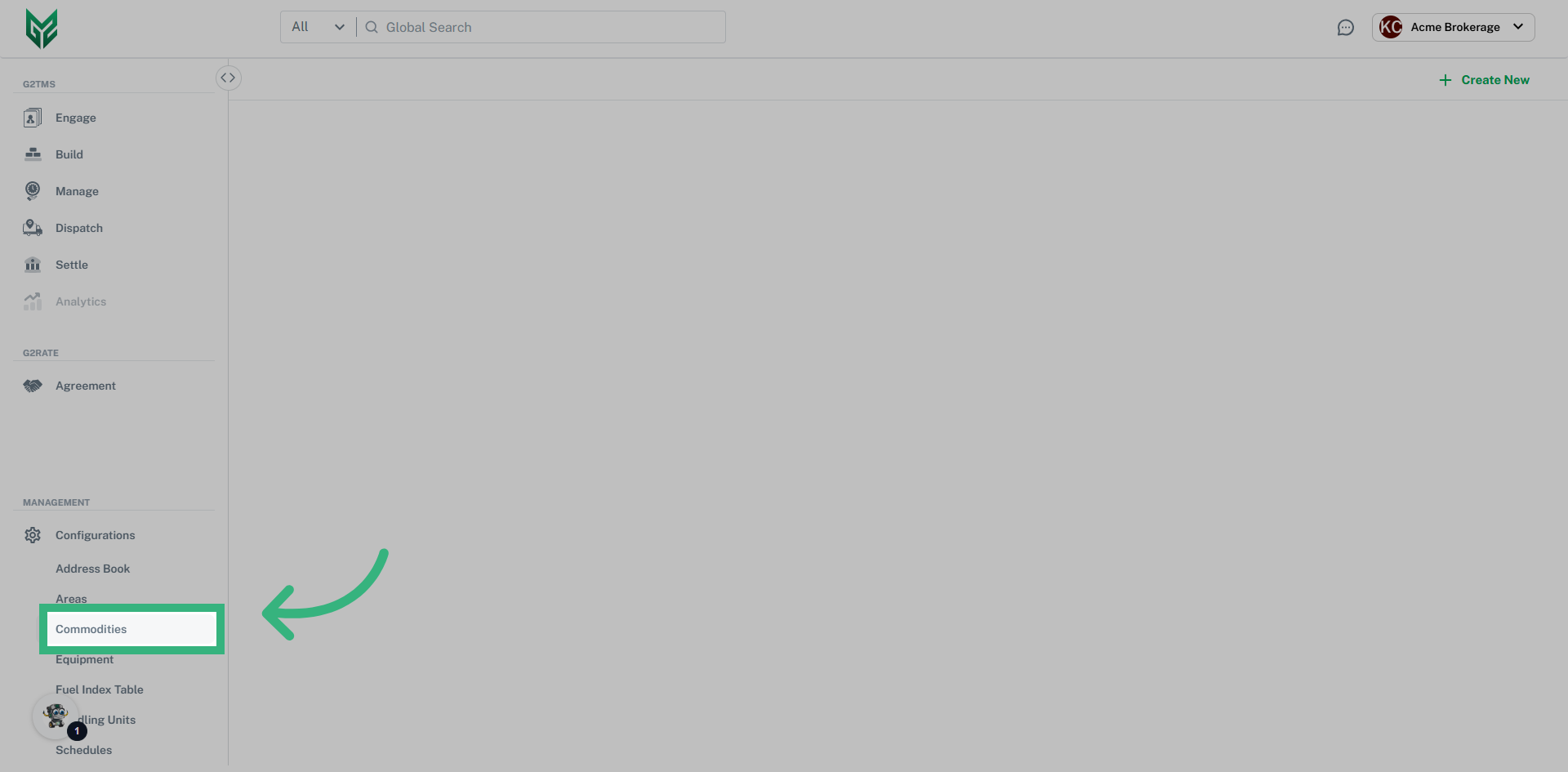
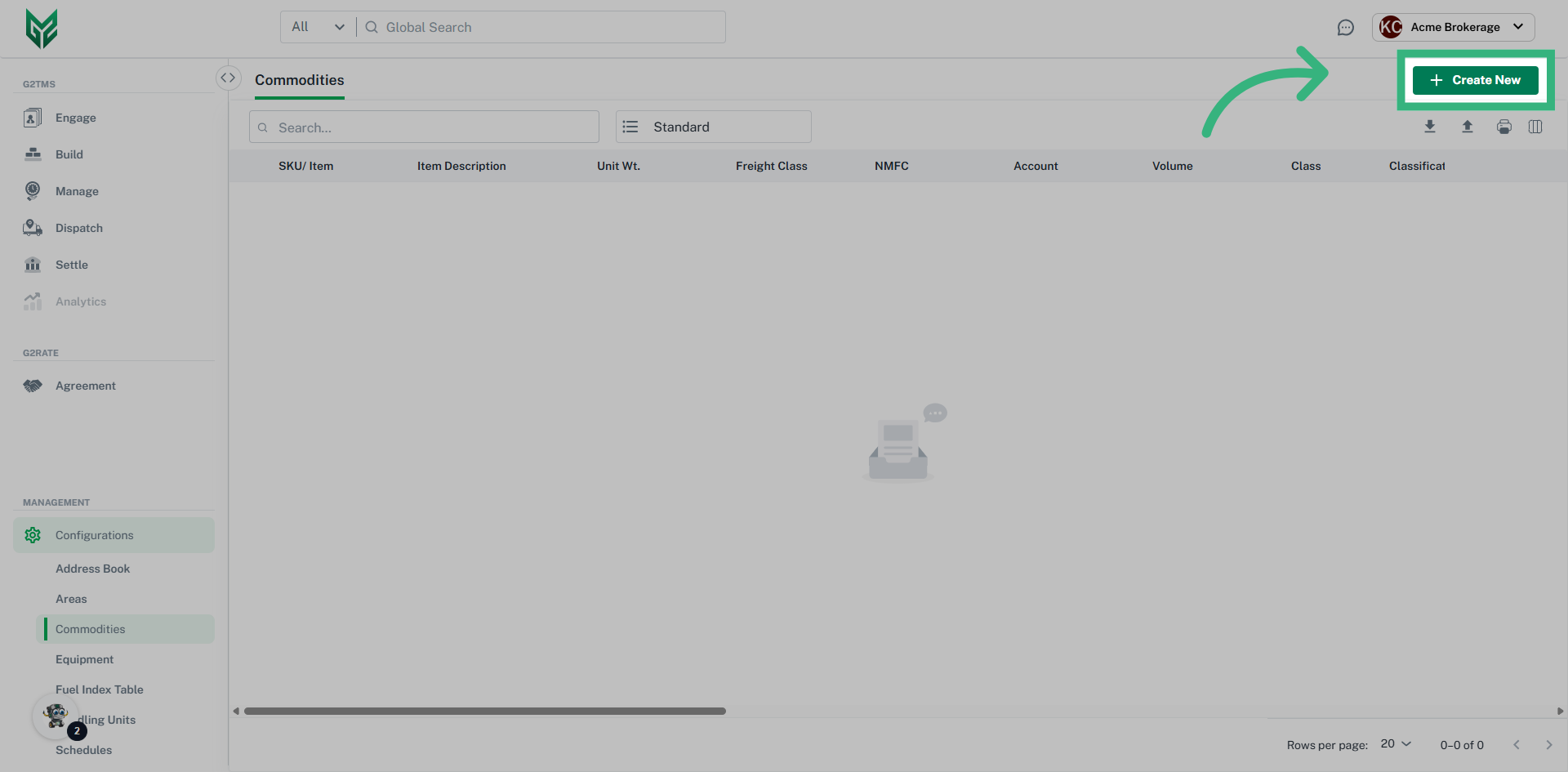
Create a standard Commodity
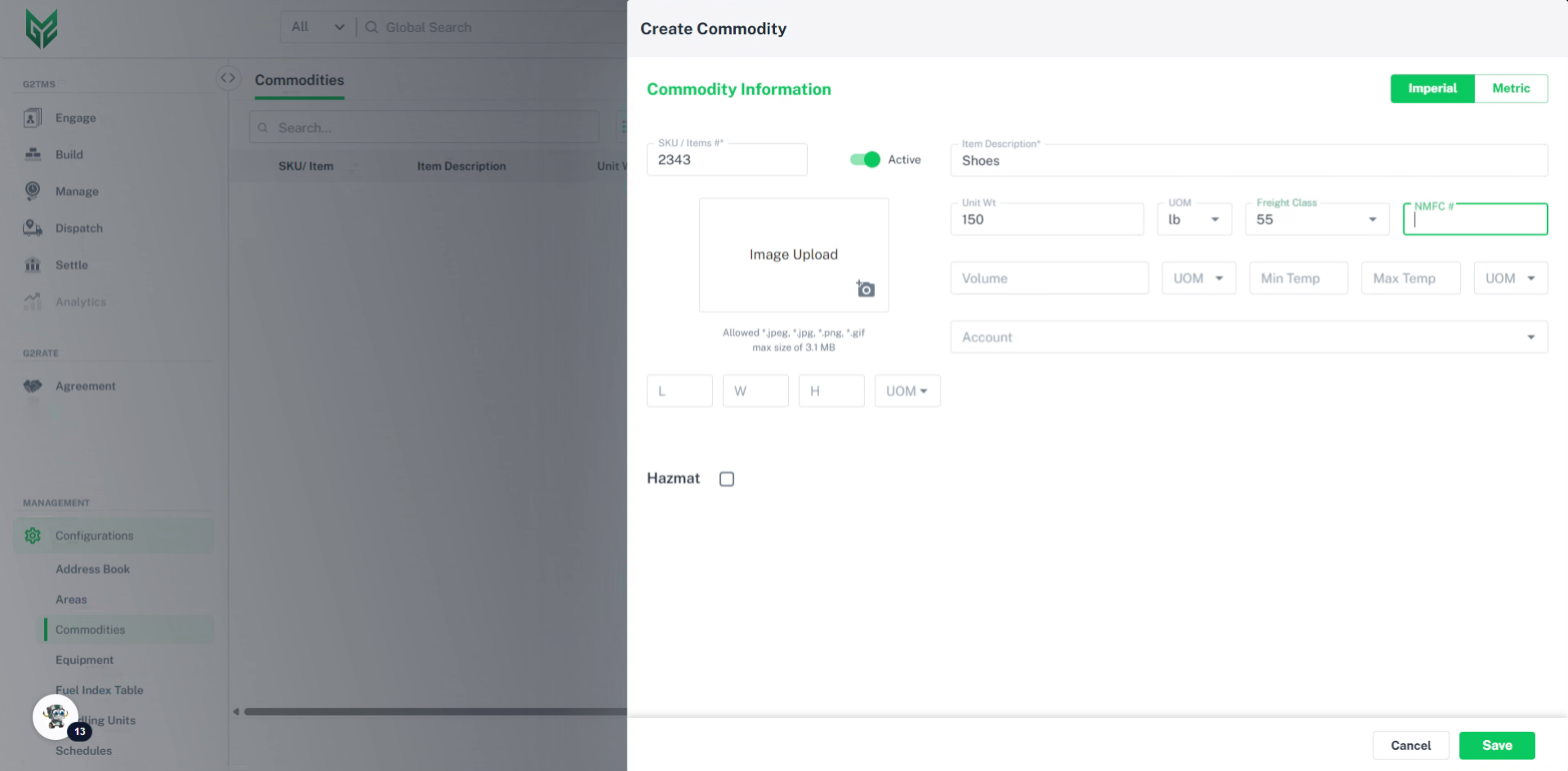
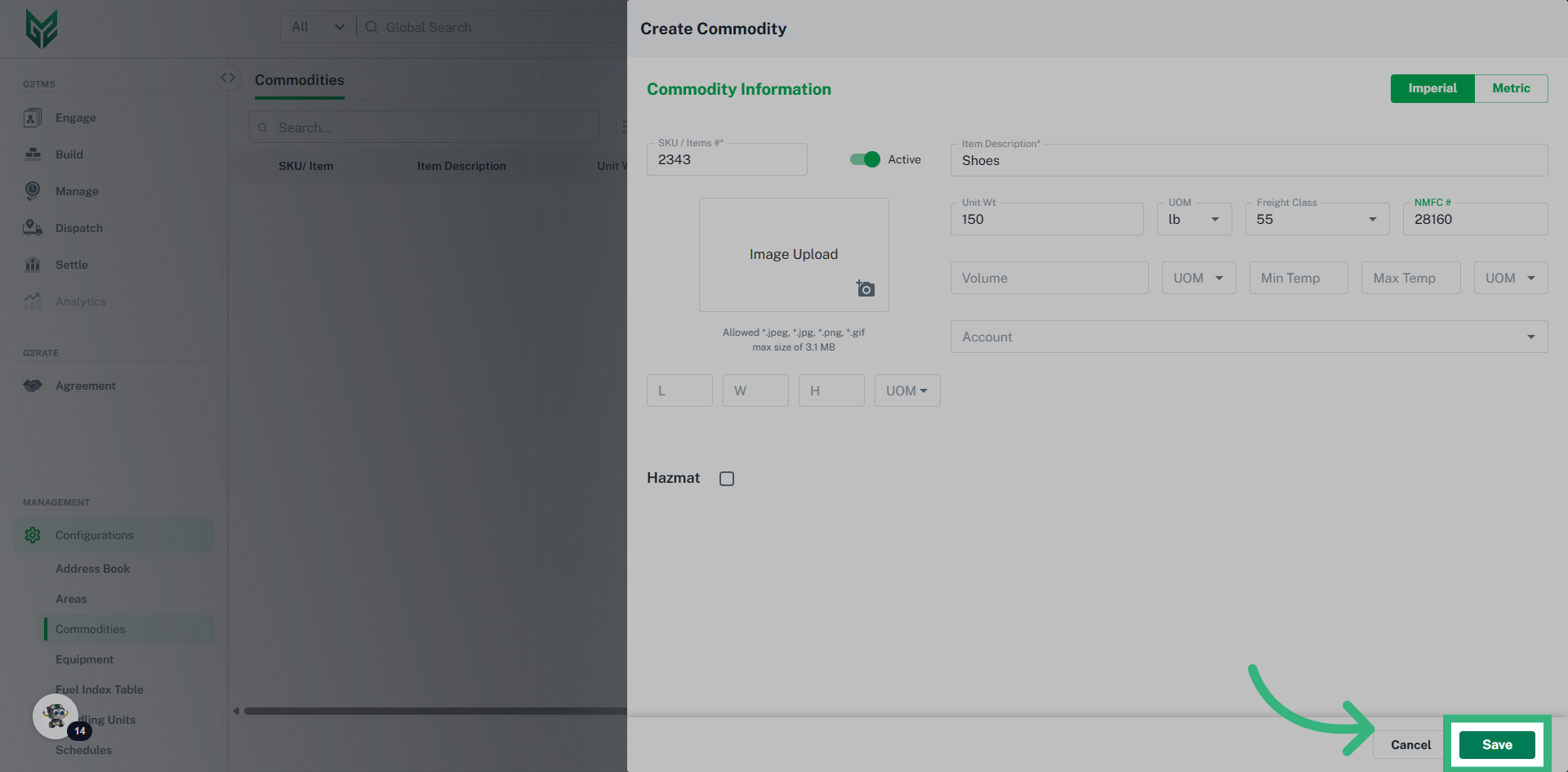
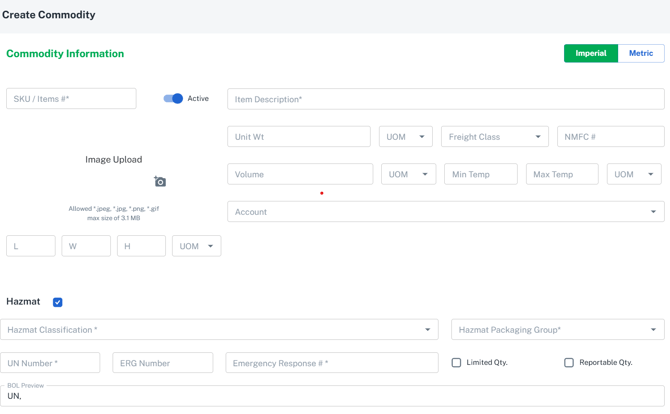
Commodity Information:
- SKU / Items # to the commodity if desired
- Toggle the Commodity record on or off (active vs. inactive)
- Photo of the commodity can be added, and will be utilized each time the commodity is selected
- Item Description of the commodity, being as specific as possible
- Imperial or Metric can be assigned for the units of measure
- Dimensions and UOM (Unit Of Measure) can be entered if numbers are consistent
- Freight Class and NMFC#
- Account can be left blank to make it available for all accounts, or assign the commodity to a specific account
- Hazmat checkbox indicates that this the commodity will need special accommodations whenever selected, and will require additional information:
- Hazmat Classification assigns one of the twenty DOT Hazmat Classifications to the commodity
- Hazmat Packaging Group assigns one of the three Hazmat Packaging Groups to the commodity
- UN Number identifies the specific hazardous materials and articles i.e., explosives, flammable liquids, oxidizers, toxic liquids, etc.
- ERG Number identifies the specific compounds in the Emergency Response Guide
- Emergency Response # is a required field to call if needed
- Limited Qty or Reportable Qty may be assigned to a hazardous substance
- BOL Preview is auto populated with the combination of the UN Number, Item Description, Hazmat Classification and Packaging Group. Note: This will also display on the BOL
- Note: Ensure Toggle is active (vs. inactive) to ensure the commodity is accessible