Last Updated: May 6, 2025
Applies to:
Shippers, Brokers, Carriers
Common Scenario(s)/Challenge (s):
Specialized equipment, or equipment needs can make it difficult to send/receive accurate Rates. Maintaining an accurate Equipment list can not only enhance shipment planning but can also help to specify a search for clients that offer or utilize that equipment (i.e. Refridgerated trailers).
Solution Overview:
In addition to the standard equipment options that come preloaded in G2Mint, the system offers the flexibility to create custom equipment tailored to your specific needs or those of your clients. While creating custom equipment is not mandatory, it is a valuable feature that enhances both shipment planning and execution. The key functionalities related to equipment include:
- The ability to define custom equipment types along with their specifications, such as size, dimensions, and maximum capacity.
- Addressing shipment and commodity requirements, such as distinguishing between refrigerated trailers for perishable goods and dry vans for non-perishable items.
- Adhering to facility limitations, such as when a consignee can only accommodate a 28 ft trailer.
- Meeting compliance requirements, including those for hazardous materials (Hazmat).
By ensuring that equipment specifications are accurate, you can significantly lower costs by minimizing wasted space, maintain product integrity to prevent damage, and facilitate the most efficient and timely deliveries. With proper equipment configuration in G2Mint, users receive notifications about:
- Compatibility of cargo with specific equipment.
- Instances of underutilized equipment space.
- Situations that require multiple pieces of equipment for an order.
- The need for various equipment types for intermodal transportation.
Configure new Equipment:
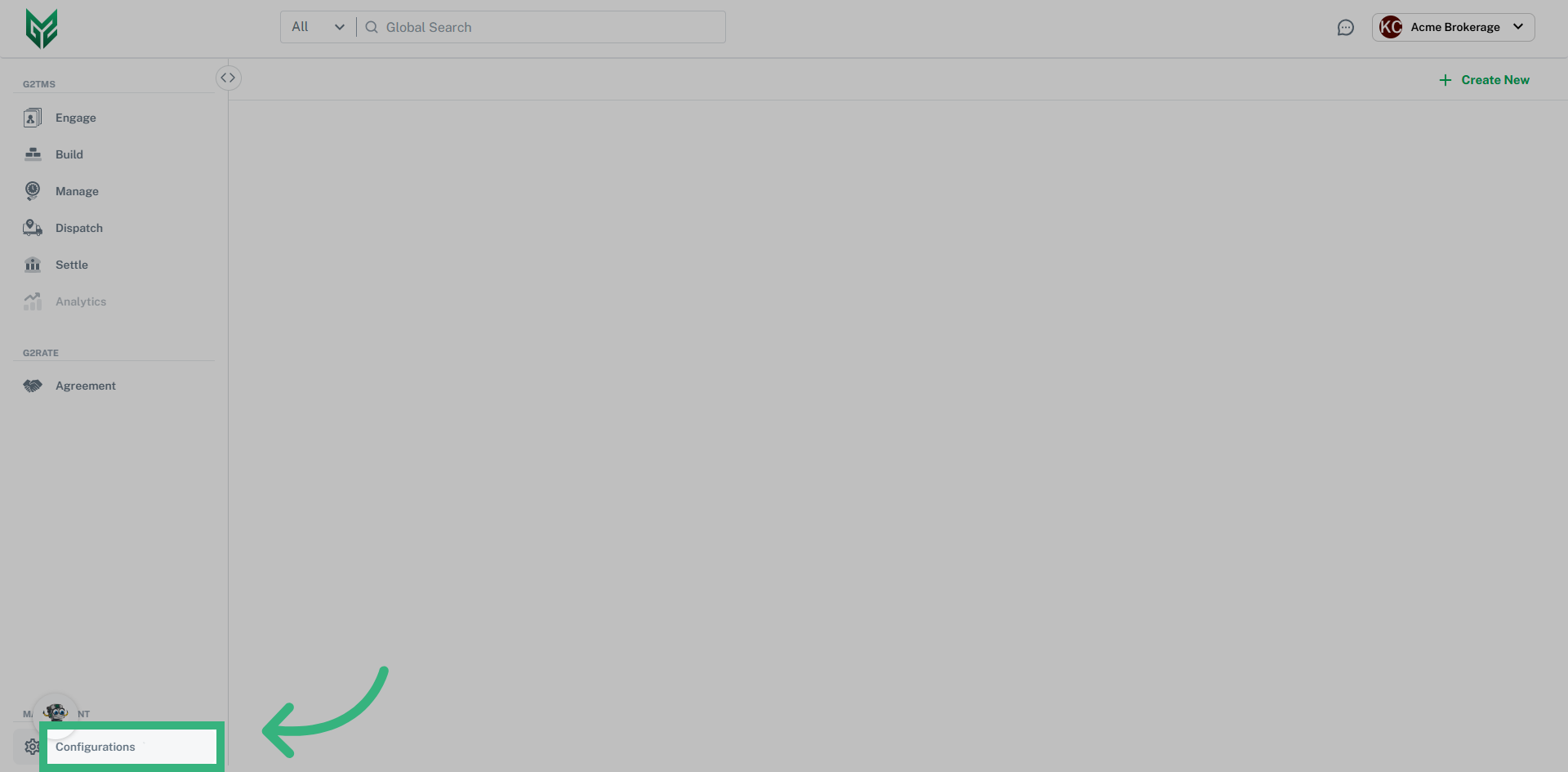
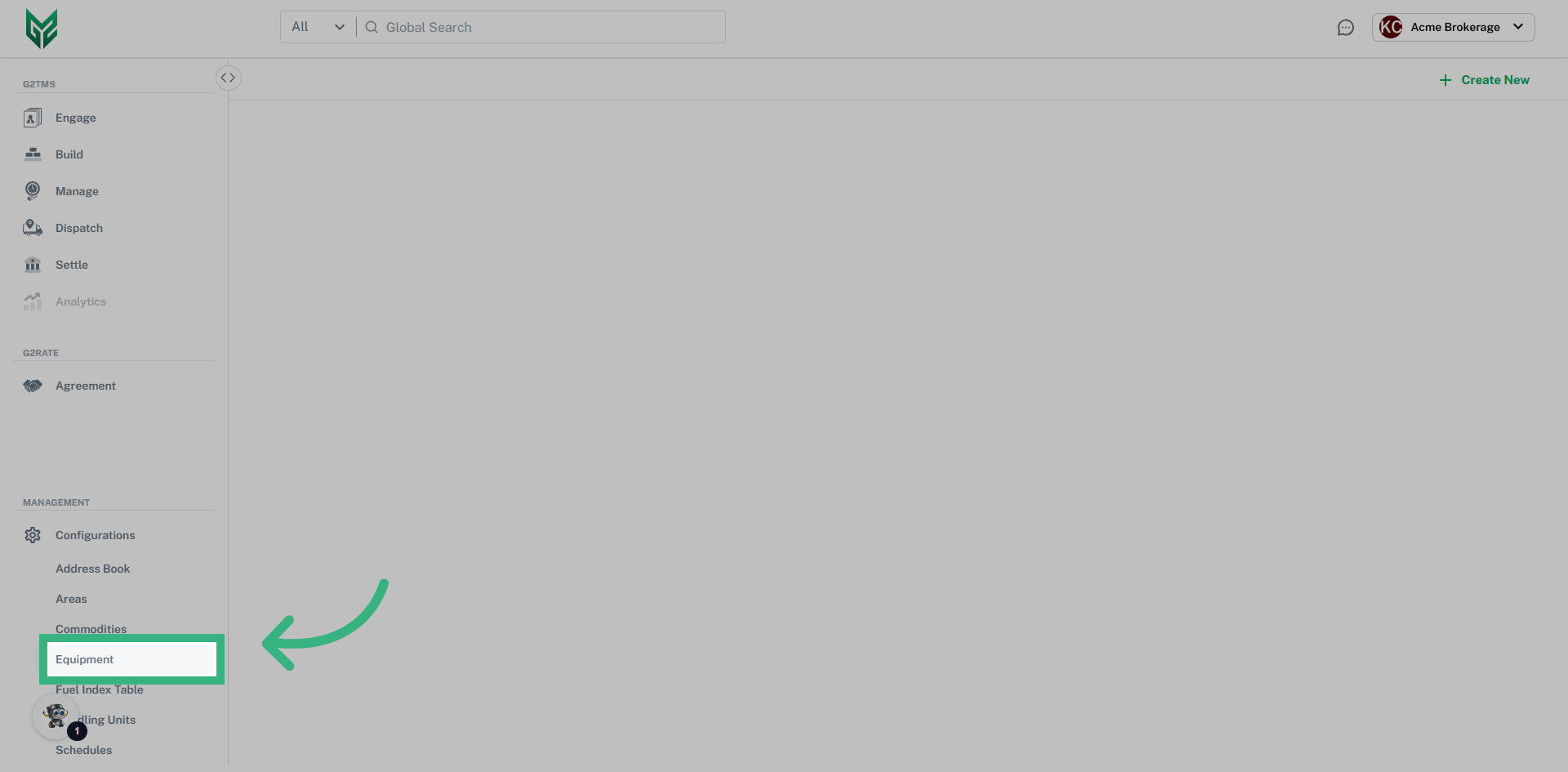
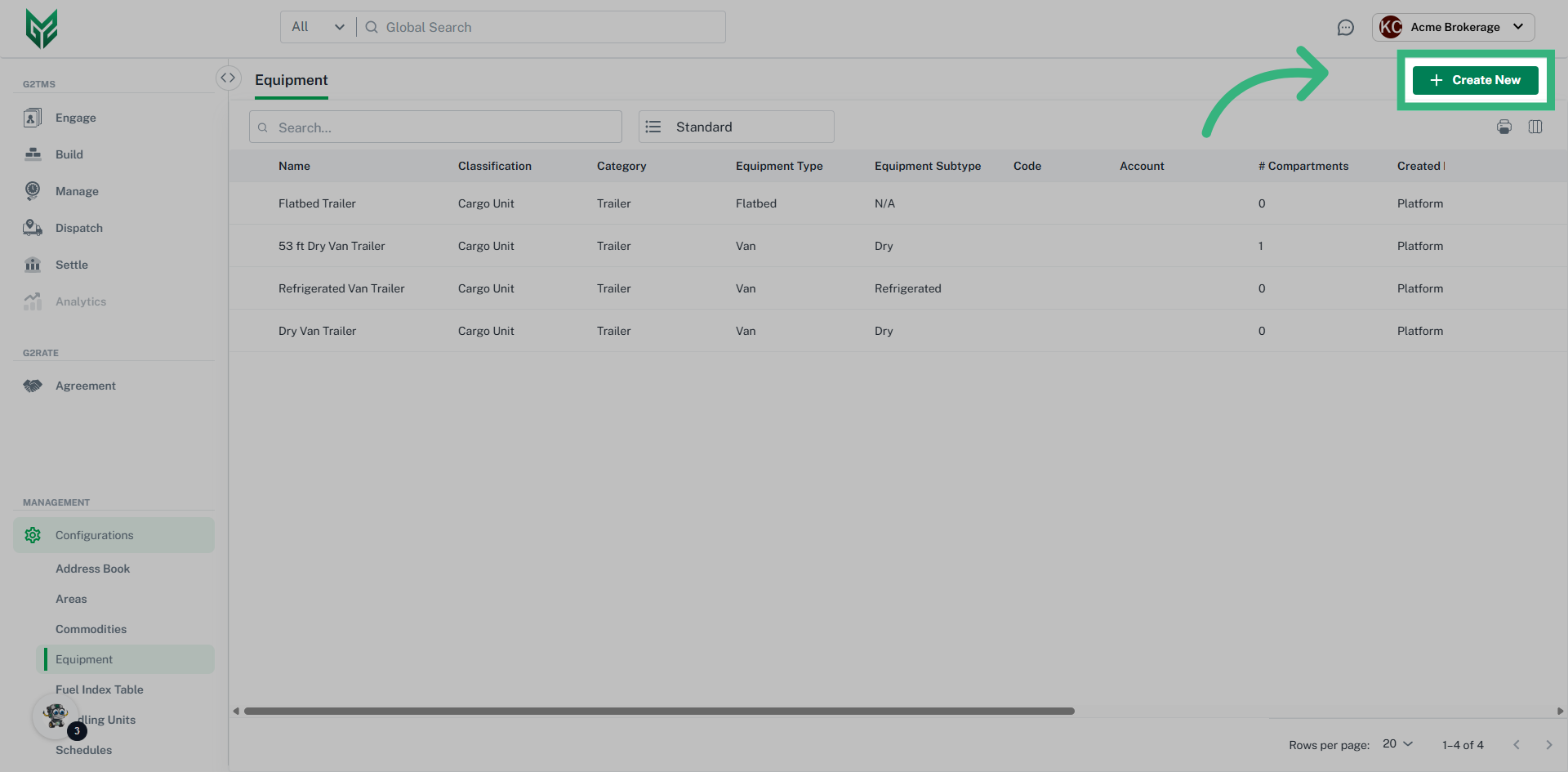
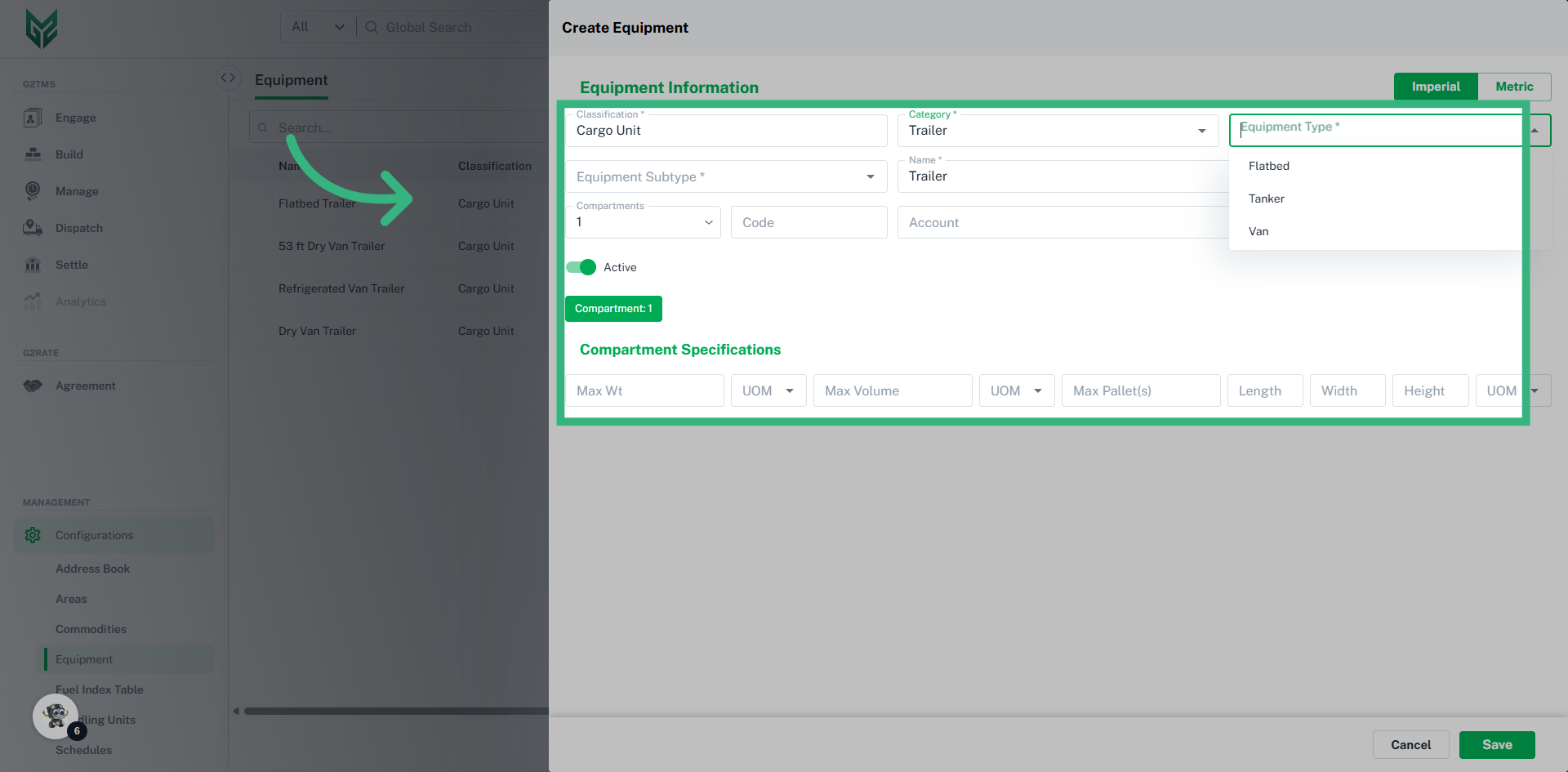
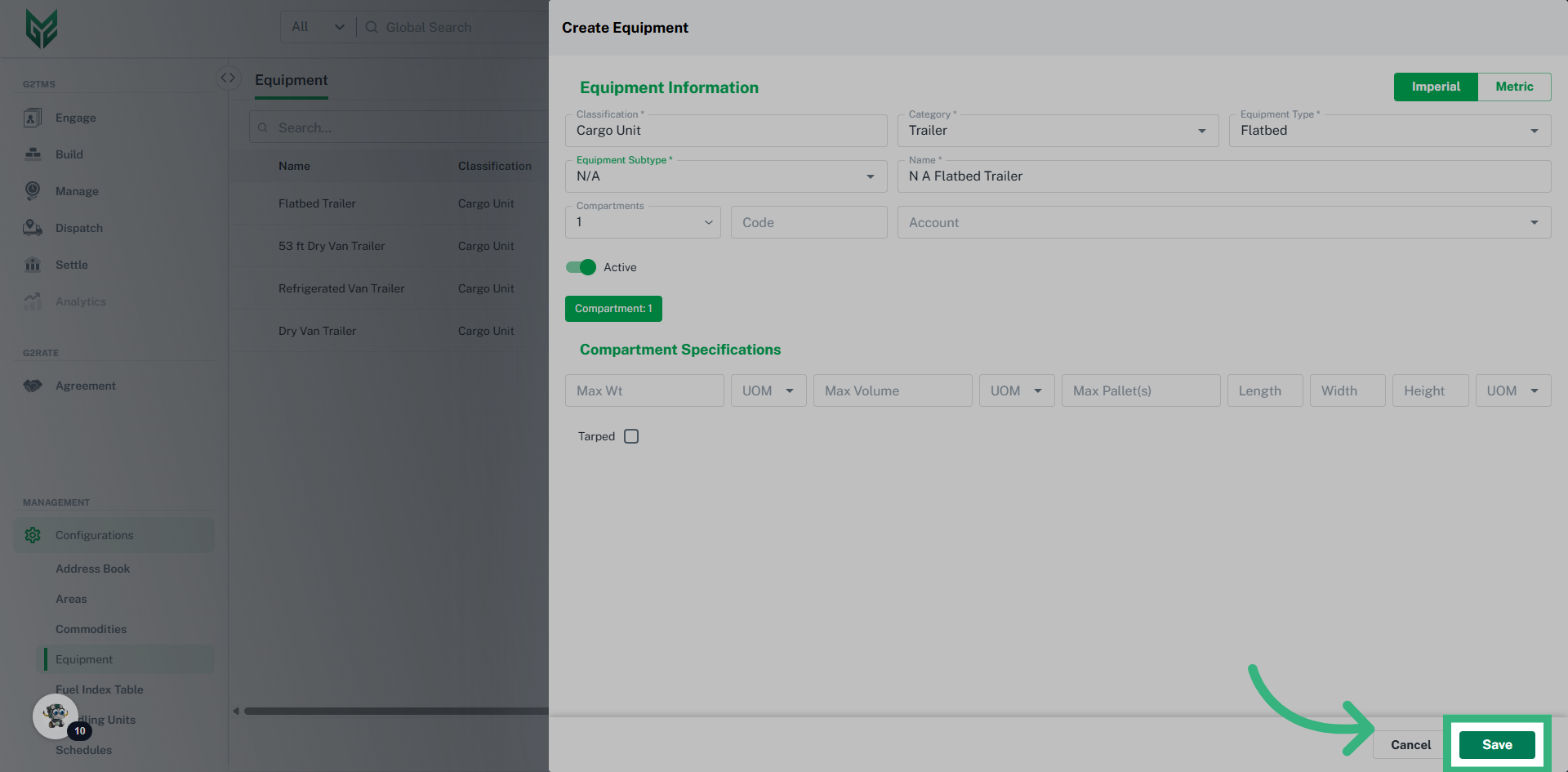
Equipment Information:
- Select a measurement system (Imperial or Metric) for the units of measure.
- The equipment Classification is an auto populated field (Cargo Unit)
- The Category is a picklist data field for selecting equipment as either Trailer or Container
- The picklist data field Equipment Type allows selection of Van, Tanker or Flatbed if the Category is Trailer, and General Purpose, High Cube or Tanker if Category is Container
- The picklist data field Equipment Subtype allows selection of Dry, Gas, or Liquid.
- The Equipment Name is an auto-populated combination of a specific Category, Equipment Type and Subtype
- The Account field allows you to assign the equipment to a specific account only, or leave it blank to make it available for all accounts
- Assigning the number of Compartments for the piece of equipment requires Compartment Specifications, like units of measure and pallet dimensions. If an equipment has multiple compartments, separate specifications may be assigned to each
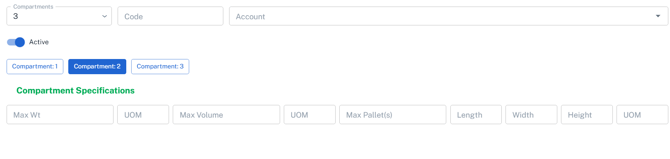
- Ensure the Active Toggle is switched on to the utilize the equipment throughout the application