Agreements- Fuel
Customize an agreement that determines Fuel charges
Last Updated: April 21, 2025
Applies to:
Shippers, Brokers, Carriers, and Partners
Solution Overview:
Fuel Agreements represent a specific category within our Freight Agreements. These agreements can be linked to any Freight Agreement and offer two main pricing structures: Fixed Rates and Tiered Rates. Fixed Rates can be determined based on a specific amount, a percentage, or a distance. In contrast, Tiered Rates can be structured based on either percentage or distance. Notably, a Tiered Fuel Agreement that uses percentages may reference a Fuel Index Table of your choice for added flexibility.
How to Create/Edit a Fuel Agreement:
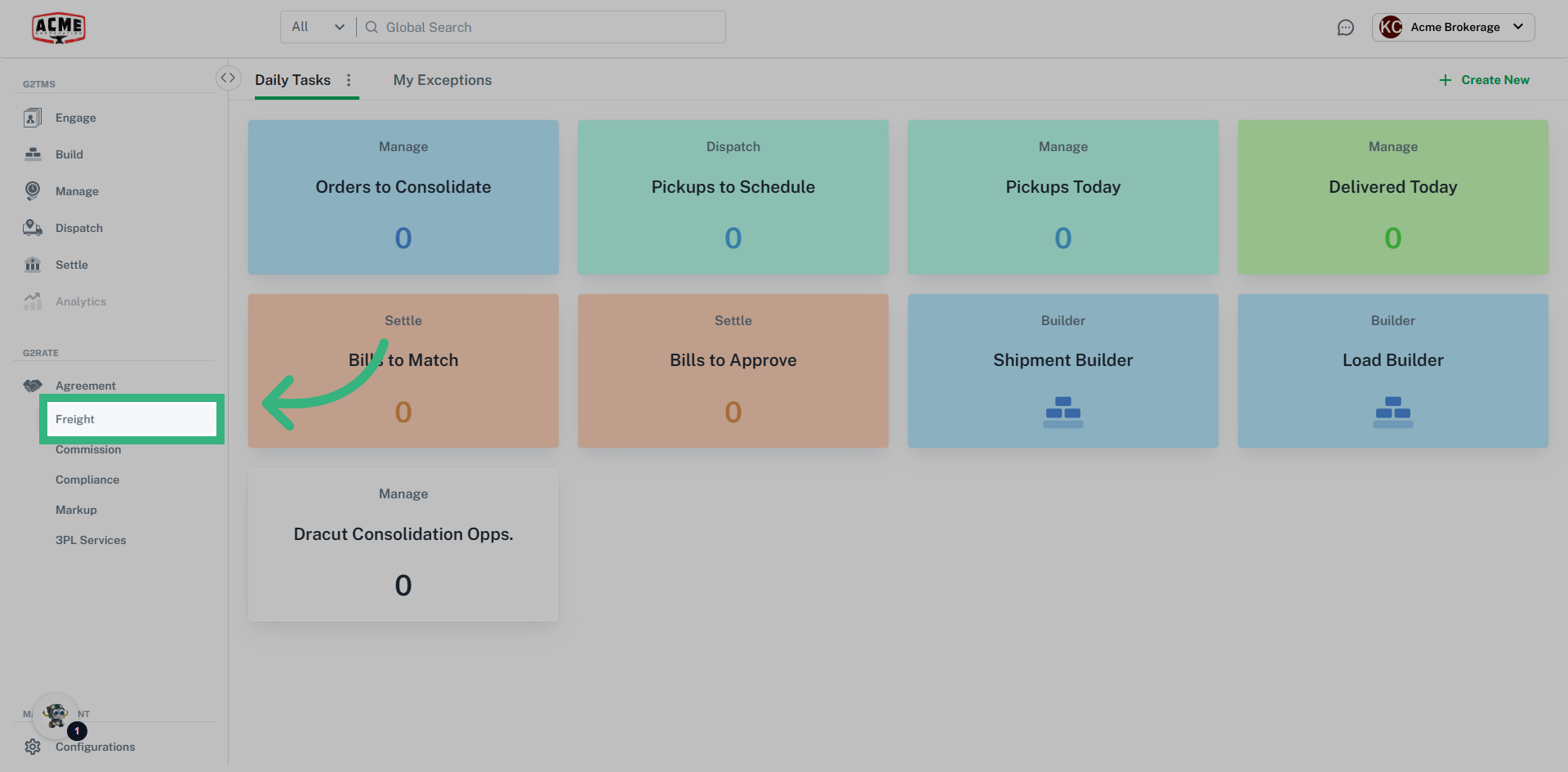
This guide will walk you through creating and editing a Freight Fuel Agreement in G2mint.
1. Click "Agreement" then "Freight"
Navigate to the "Freight" section by first clicking on "Agreement"
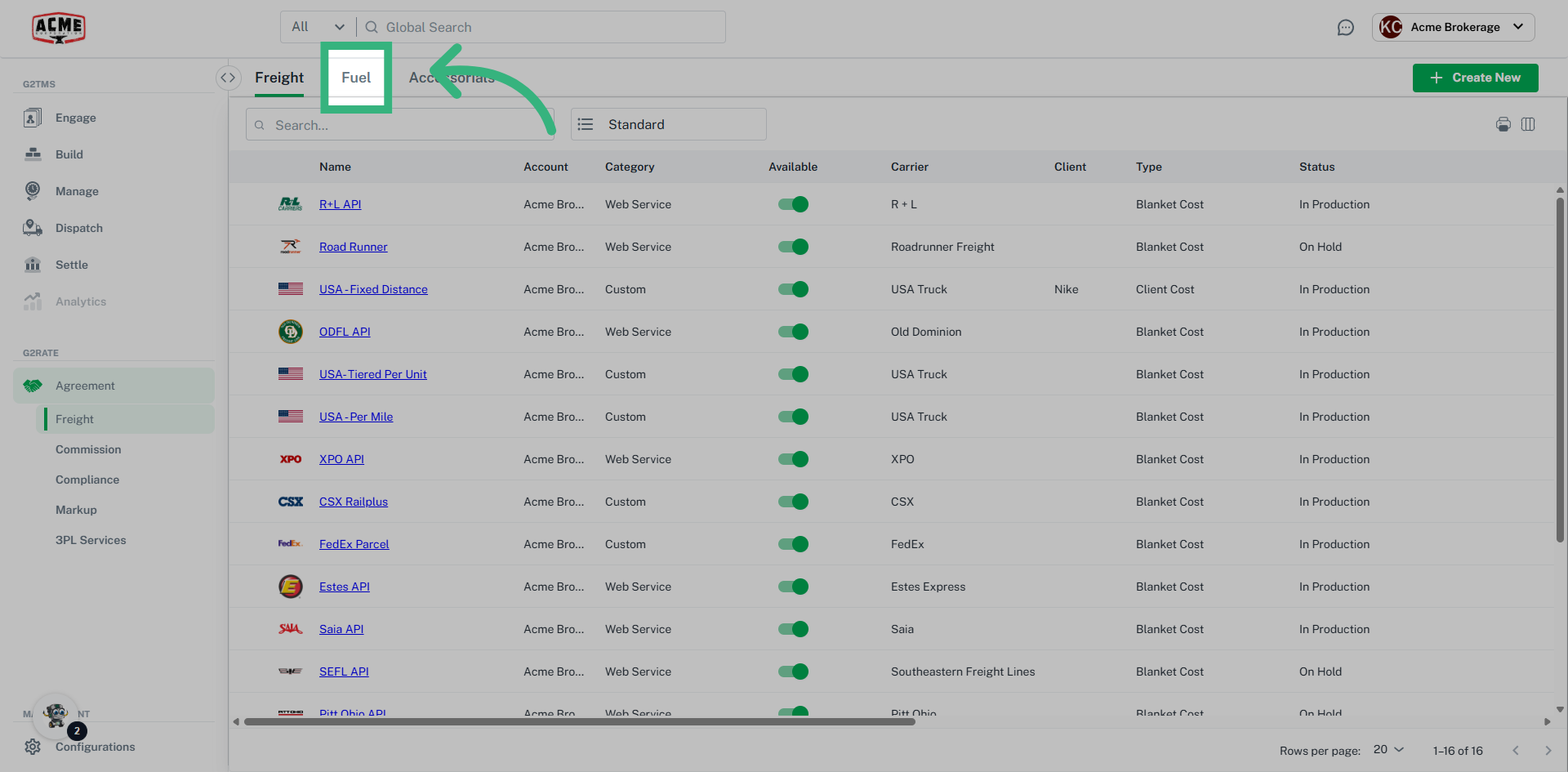
2. Click "Fuel"
Select the "Fuel" tab.
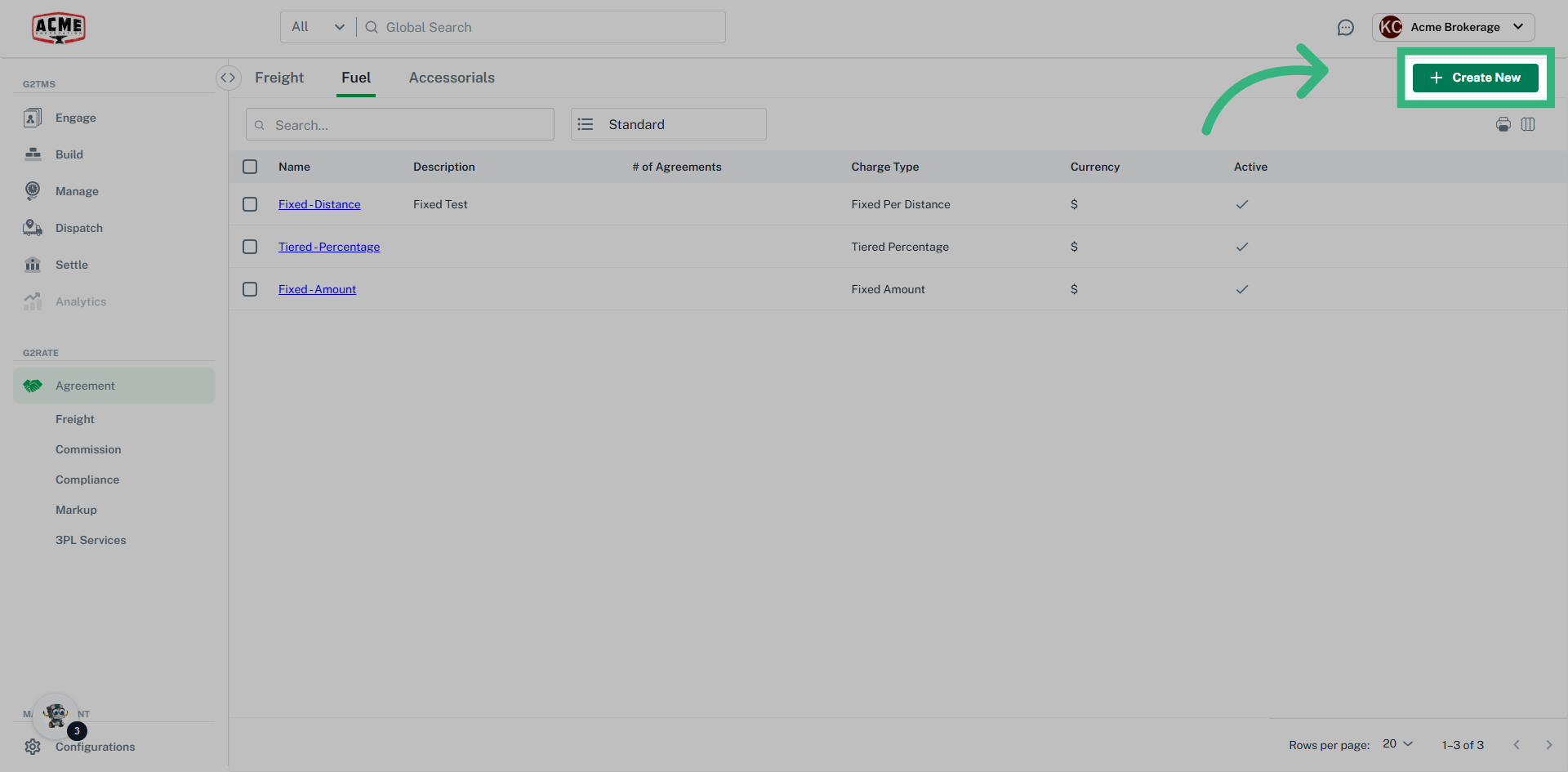
3. Click "Create New"
Click "Create New" or edit an existing agreement by clicking on the pencil icon on the righthand side of an existing agreement. In this case, we will create a new fuel agreement.
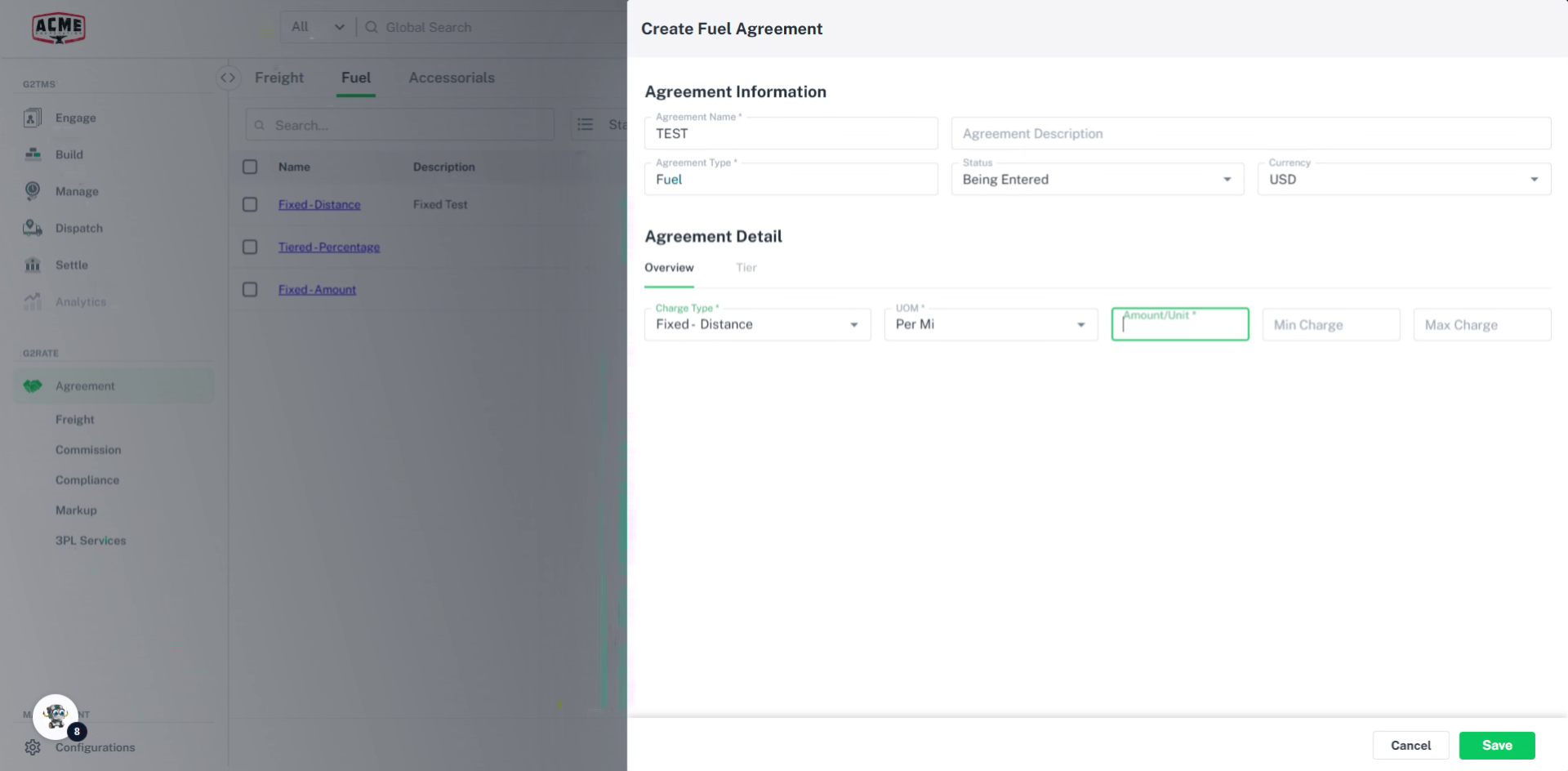
4. Fill in all required information
Fill in all required information including the agreement name, charge type, unit of measurement, and amount. You can also specify the minimum or maximum charge. Please note that you will need to update the status to in production in order for the fuel agreement to be considered active.
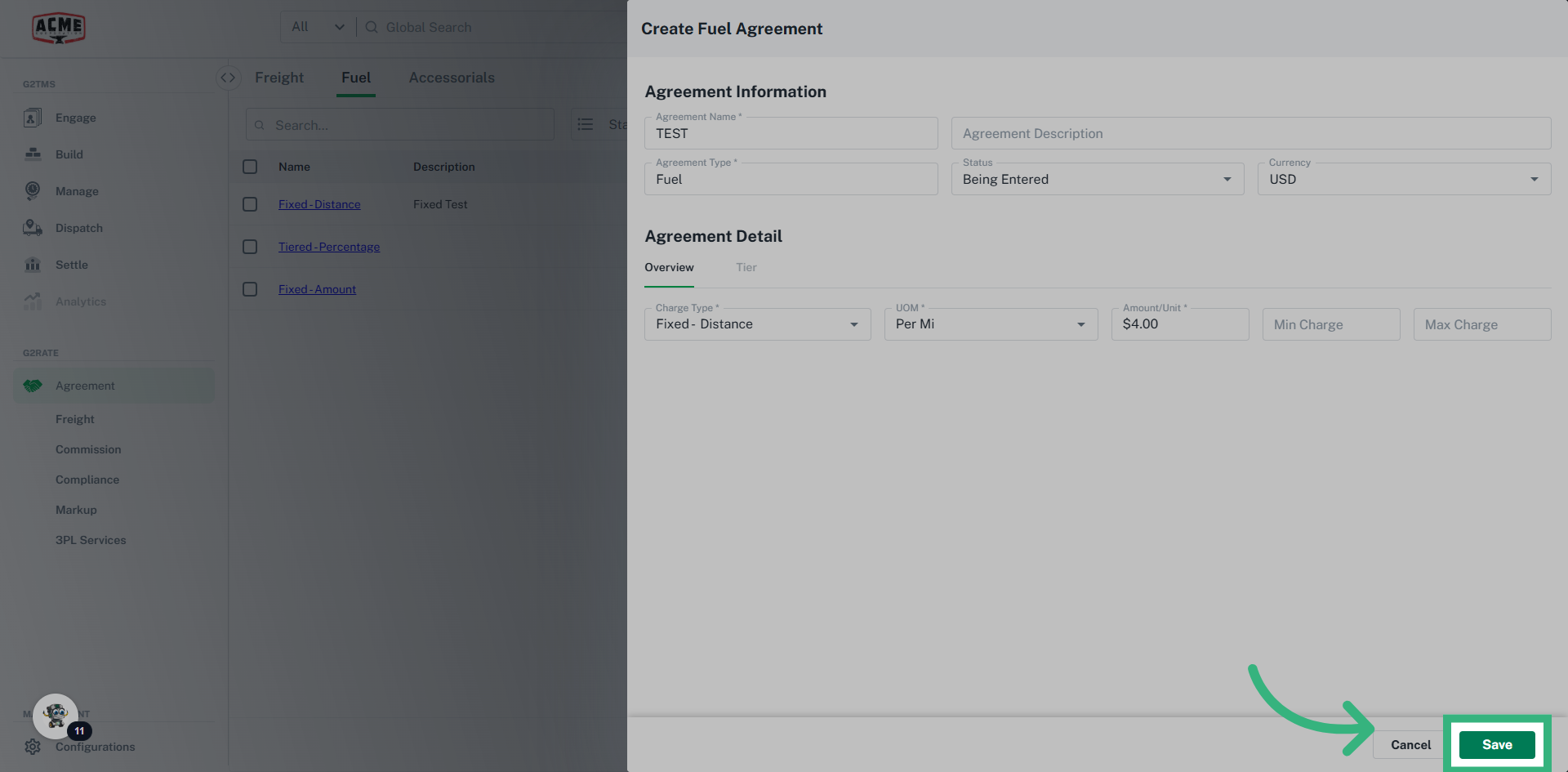
5. Click "Save"
Click save to update your changes and save the new fuel agreement.
The guide covered the steps to create a Freight Fuel Agreement in G2mint.
- Once a Fuel Agreement is created in this section, they can now be assigned to any Freight Agreement desired by editing an existing or creating a new Freight Agreement.