Last Updated: May 13, 2025
Applies to:
Shippers, Brokers, Carriers
Solution Overview:
The Manage Loads feature allows users to access comprehensive details about any existing Load. This includes tracking statuses, related documents, individual orders, financial information, and more. Additionally, users have the ability to consolidate, re-rate, or edit a Load as needed.
Manage Loads: Documents is a hub to Upload a Document associated to a Load or Request a Document. The Request can be made via email or API depending on connections. A signed BOL would be an example of a Document to upload.

- In the Documents tab, select + Create New
- Select Request or Upload
- Select the document type to Upload or Request and follow prompts
Edit the "Bill To" on a multistop Load:
- Enter Manage Loads
- Select the hyperlink on the Load to Edit
- Select the ellipsis (3 dots) on the right side of the screen
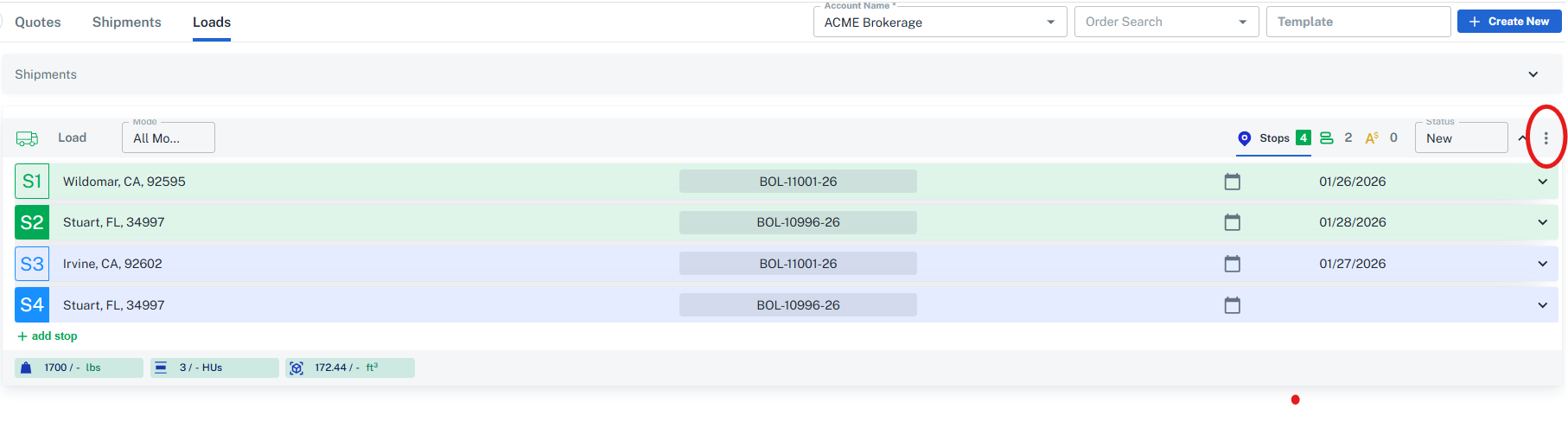
- Edit Bill To (Please note: the Default Bill To on a Load is given the Contact Type of "Finance")