Last Updated: May 12, 2025
Applies to:
Shippers, Brokers, Carriers
Solution Overview:
The Manage Shipments feature allows users to access comprehensive details about an existing shipment. This includes information on related orders, quotes, tracking updates, financial records, relevant documents, and the shipment's complete history. Additionally, users have the ability to tender the shipment to a carrier, convert it into a load, or assign an exception as needed.
Manage Shipments: Tracking Events provides a visual of Shipment Route and Tracking, as well as an option to Request a Status update, or manually adjust a Status (select + Status in the upper right corner).
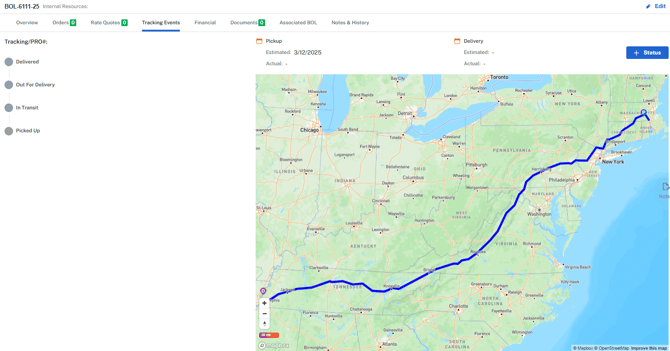
View Shipment Details
- Select Manage from left Nav Bar
- Select Shipment from dropdown
- Select Shipment Name hyperlink
- Select Tacking Events from top nav bar
- Select Internal or Public toggle (Public is for External users. Internal has more detailed information that is not needed for public view)
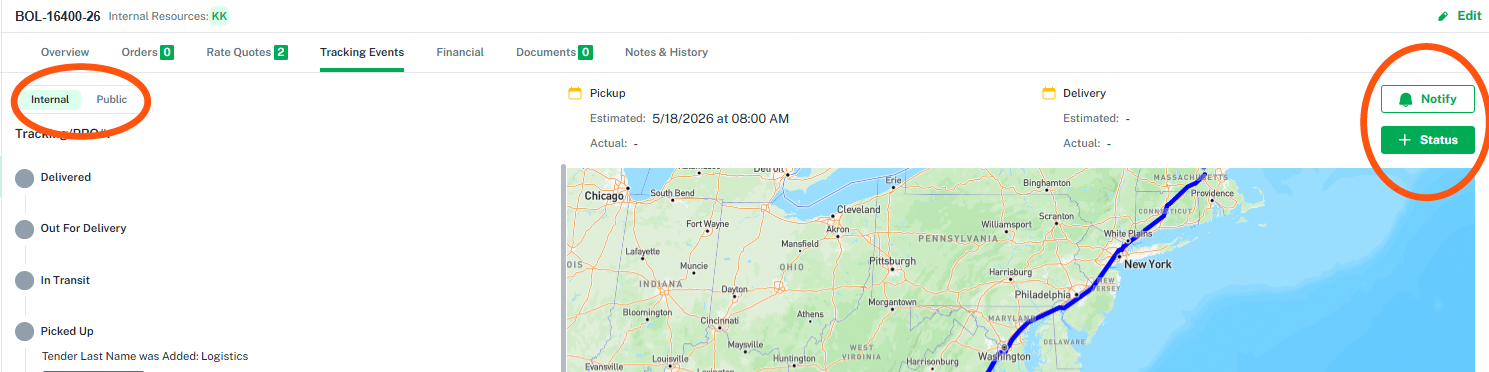
- + Status can request a Tracking Event from a Carrier, or allows the user to manually update a Tracking Status
- Notify allows you to send out Tracking to a Client via email.