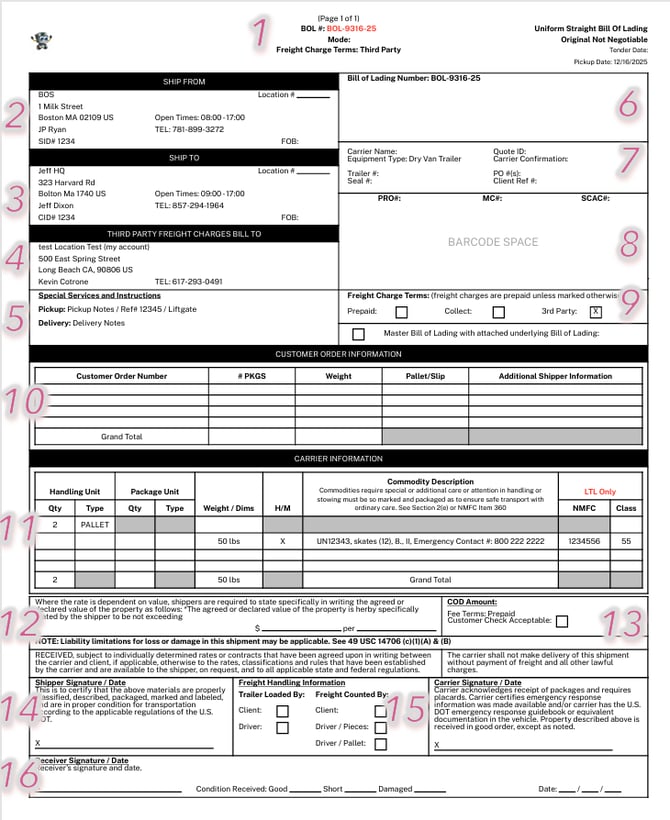
#1. BOL Header
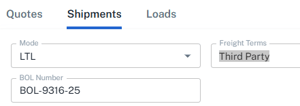
- BOL#- auto-assigned BOL number, or self-created through Edit page
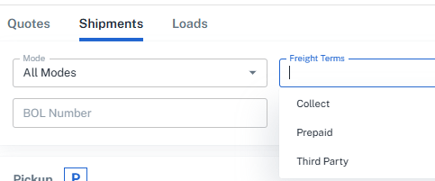
- Mode- Will remain blank if "all modes"
- Freight Charge Terms- Can be Collect, Prepaid or Third Party
#2. Ship From
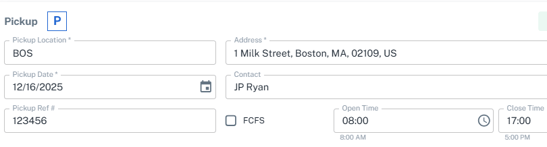
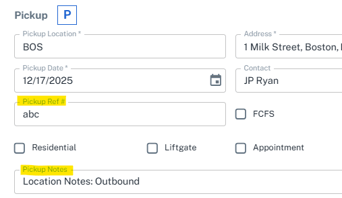
- Pickup Location selected, plus Address, Hours of Operation and Contact associated to that Location.
- The SID# is populated by the Account Code within the Account Name. If Blank, it then goes to the Location Code for the Origin. If both are blank, it can be referenced by the Pickup Ref # in the Build section.
- FOB Origin is (Free on Board) is where the buyer takes over at the sellers dock. This field must be marked by hand if applicable.
- Location # is the Location Code inside the Pickup Location Profile
#3. Ship To
- Delivery Location selected, plus Address, Hours of Operation and Contact associated to that Location.
- The CID# is populated by the Account Code within the Account Name. If Blank, it then goes to the Location Code for the Destination. If both are blank, it can be referenced by the Pickup Ref # in the Build section.
- FOB Destination (Free on Board) is where seller is responsible until delivery. This field must be marked by hand if applicable.
- Location # is the Location Code inside the Delivery Location Profile.
#4. Third Party Freight Charges Bill To
- The Location is the assigned Bill To of the primary Account in My Account. It can also be edited for a particular Shipment by selecting Bill To in Build.
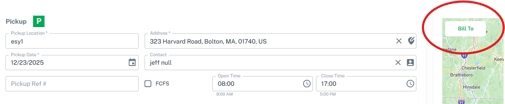
- The Contact is assigned to Contact Type of Finance in My Account. This can also Edited while building a Quote, Shipment or Load.
#5. Special Servies and Instructions
- These can be set in the Inbound/Outbound BOL Notes of the Location to always be tied to a specific location. They can also be edited for a particular shipment within the Build section. Pickup/Delivery Ref# and Accessorials selected will display here.
#6. Bill of Lading Number
#7. Carrier information
- Carrier specific information plus PO/ Ref number on Commodity
#8.
-
Pro# returned by Carrier (or manually entered into Shipment
- MC# and Scac are in Engage Account for Carrier
#9. Freight Charge Terms
#10. Customer Order #
-
Based on the reference number entered on the Commodity of the shipment
- Can be a Purchase Order #, Sales Order # or Transfer Order #
#11. Commodity Description
- If Commodity's exceed provided space, a Supplement to the BOL will be provided on subsequent pages.
#12. Value statement
- Manually entered field (not from the system)
#13. COD Amount
- Manually entered field (not from the system)
#14. Shipper Signature
#15. Freight Handling Information
- Manually entered field (not from the system)
#16. Receiver Signature (includes Condition received)
- Manually entered field (not from the system)