To activate the Denim Plug-In:
- Go to Add-Ons & Plugins in My Account
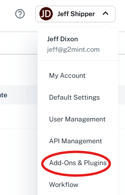
- Navigate to Denim in the Payment category and select Connect
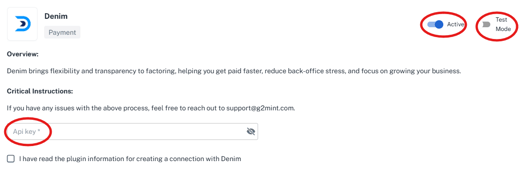
- Enter Denim API key from your account. Ensure Active Toggle is On, Test Mode toggle is Off, and select Test Service.
To use Denim plugin:
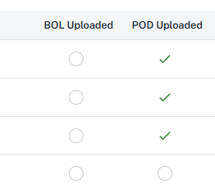
- A Payable must be in the Approved Status AND have either a BOL or POD uploaded (this is visible on the Grid
- Select the payable(s) to factor in the Settle module, and select Factor with Denim

- Once approved, the system will populate with an External Factoring ID, which is in the Grid.