Last Updated: May 14, 2025
Applies to:
Shippers, Brokers, Carriers, and Partners
Solution Overview:
A workflow can define and automate a sequence of tasks, which will improve efficiency by removing manual processes. For example, if you want a Logistics Manager to receive an email upon any Rate change or receive a Text Message upon creation of a BOL, these processes can be automated in Workflows. A workflow can be created using preexisting Templates, by utilizing AI, or from scratch.
Create a Workflow:
- Click on My Account top right corner
- Select Workflow
- Select + Create New
- Create Name and Description for Workflow
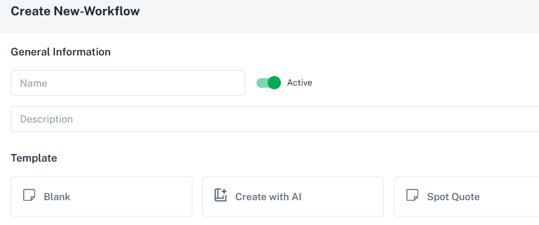
- Slide Toggle switch to Active when ready to utilize
- Select desired Template (Blank, Create with AI or Spot Quote)
- Begin with selecting a Trigger to activate the Workflow (for example, Creating, Deleting or Updating a BOL)
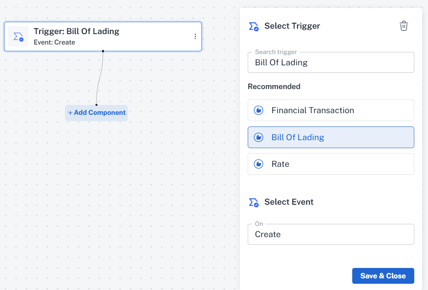
- Select + Add Component
- Select Then: Action (ie, if BOL is created, Then email Operations team)
- Select Action (ie Text Message or Email)
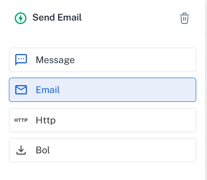
- Enter desired phone number or email address, as well as Standard Message to deliver
- Add any additional Then: Actions if desired
Select Save Workflow (reminder to ensure that the Active Toggle is turned on to utilize the Workflow)